



JEE Main photo size and rules: scanned photo, live photo and exam-day print
What NTA asks for in the JEE Main application: the scanned photo, the live photo taken during the form, the signature, and the printed copy you carry to the centre.
Contents
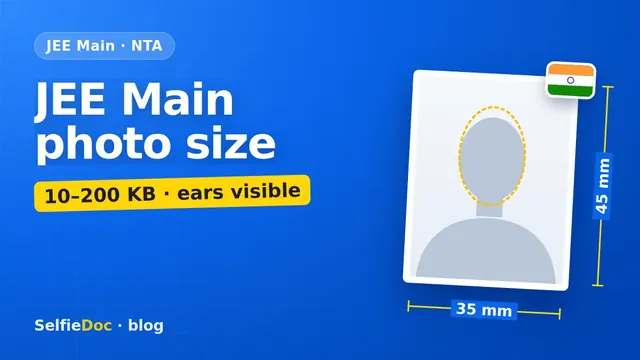
For the JEE Main application, NTA asks for a recent passport size colour photograph with 80% of the face visible, without a mask and including the ears, against a white background, uploaded as a JPG/JPEG between 10 KB and 200 KB. On top of that, you take a live photo with your camera while filling in the form, and on exam day you bring one printed copy of the same photo for the attendance sheet. These rules come from the JEE (Main) 2026 Information Bulletin; NTA hadn't published the 2027 bulletin when we checked. You can make the scanned photo online from a good selfie in SelfieDoc: the service fits the size, background and head position to the requirements.
JEE Main photo requirements
| Item | Requirement | Source |
|---|---|---|
| Scanned photo | recent passport size, colour, 80% face visible without a mask, ears visible, white background | Information Bulletin 2026, Step 2 |
| Photo file | JPG/JPEG, clearly legible, 10–200 KB | Information Bulletin 2026 |
| Live photo | taken in the form by webcam or phone (QR code); light-coloured background, proper lighting, 80% face visible including ears, no mask | Information Bulletin 2026, Note 2 |
| Signature | JPG/JPEG, 10–100 KB | Information Bulletin 2026 |
| Class 10 certificate | PDF, 50–300 KB | Information Bulletin 2026 |
| ID proof (if not verifying via Aadhaar or DigiLocker) | JPG/JPEG, 10–200 KB | Information Bulletin 2026 |
| Exam day | one passport size photo, same as uploaded, for the attendance sheet | Information Bulletin 2026 |
| Pixels / dimensions | not specified by NTA | — |
Checked: October 2026 against the JEE (Main) 2026 Information Bulletin (NTA, 31 October 2025). Re-check against the 2027 bulletin once it's out.
The scanned photo: what "80% face with ears" means
NTA's wording is short: a recent passport size colour photograph with 80% face (without mask) visible including ears, against a white background. In practice that means a close crop:
- the face fills most of the frame, from chin to the top of the head;
- both ears are visible, so tuck your hair behind them;
- no mask, and nothing covering the face;
- white background, not cream or light blue;
- clear and in focus ("clearly legible").
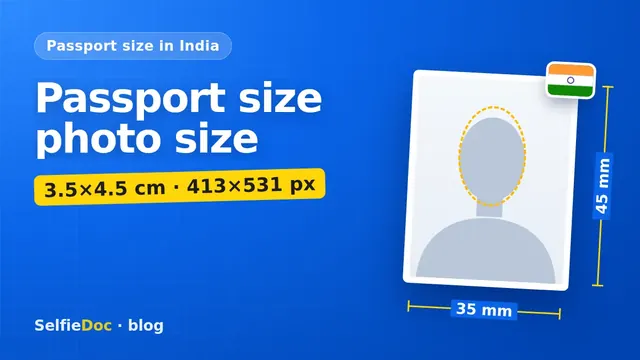
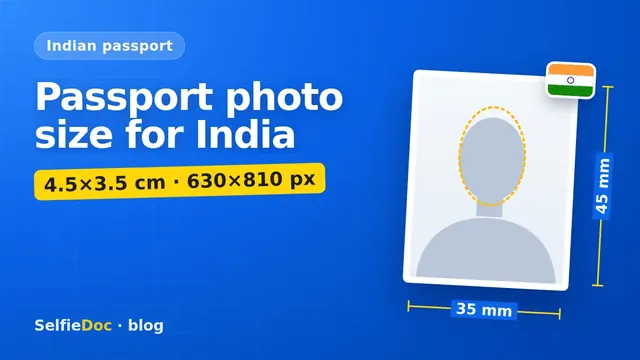
NTA doesn't give pixel dimensions or a size in centimetres beyond "passport size". In India that usually means a 3.5×4.5 cm rectangle. Keep that shape and the 10–200 KB file size, and you've covered what the bulletin asks for. The crop is tighter than many people expect, similar to the 80–85% face rule for an Indian passport photo upload.
File size: 10 to 200 KB
Both limits matter. A raw phone photo of several megabytes is too big, and an over-compressed file under 10 KB is too small and usually blurry. A passport-size crop saved as a JPG at normal quality usually lands comfortably in between. The bulletin asks for JPG/JPEG.
Some websites still quote 10–300 KB or other ranges. The 2026 bulletin says 10–200 KB.
The live photo in the application form
The live photo is a separate step. While filling in the form, you switch on your camera or webcam; if your device has none, you scan a QR code with a phone or tablet and take it there. NTA asks for:
- a light-coloured background;
- proper lighting;
- 80% face visibility, including ears, without a mask.
NTA also reserves the right to verify your details and photographs, and advises candidates to update the photo and details on their Aadhaar card. Its FAQ says that a mismatch between the live photo and the Aadhaar photo is reviewed by NTA, and candidates are told by email or SMS if there's a major discrepancy.
The practical point: the scanned photo, the live photo and your Aadhaar photo should all look like the same person today.
Signature and other uploads
The same step asks for:
- signature: JPG/JPEG, 10–100 KB, clearly legible;
- Class 10 or equivalent certificate/marks sheet: PDF, 50–300 KB;
- identity proof: JPG/JPEG, 10–200 KB, only if you don't verify your identity through Aadhaar or DigiLocker;
- disability/UDID certificate, if applicable: PDF, 50–300 KB.
Sign on plain white paper with a dark pen, crop tightly and save as a JPG within the range.
Exam day: carry the same photo
The bulletin lists what to bring to the centre, including one passport size photograph, the same as uploaded on the online application form, to paste on the attendance sheet. So print the exact photo you uploaded, not a new one from a studio. A different photo, even a good one, makes the invigilator's photo check harder.
Bring a valid photo ID as well: school ID, PAN card, voter ID, passport, Aadhaar or e-Aadhaar with photograph, Class XII board admit card with photograph, or bank passbook with photograph.
Common JEE Main photo mistakes
- Ears hidden by hair or a cap. NTA asks for ears visible in both photos.
- A small face in a big frame. NTA asks for 80% face visibility; a distant shot doesn't meet it.
- A coloured or busy background. White for the scanned photo, light-coloured for the live one.
- A file over 200 KB or under 10 KB.
- A photo that doesn't look like you now. NTA can compare it with the live photo and Aadhaar.
- Someone else's photo or an altered one. The bulletin treats uploading a wrong or morphed photograph as an unfair means practice.
- Planning to fix it later. The bulletin warns that the facility for correction will not be given in the future for photo, signature and certificates uploaded incorrectly, so check the preview before you submit.
How to make the JEE Main photo
At a photo studio. Ask for a passport-size colour photo on white with your ears visible, as a JPG under 200 KB, plus a couple of prints for exam day.
At home. Stand in front of a plain white wall, face a window in daylight, tuck your hair behind your ears and ask someone to take the photo at eye level. Crop tightly to head and shoulders and save as a JPG of 10–200 KB.
Online from a selfie. SelfieDoc crops the photo to passport size with the face filling the frame, checks the size and background, and gives you the JPG for the form and a sheet to print the same photo for exam day. Your facial features stay as they are.
NTA also runs NEET and CUET, each with its own bulletin and photo rules, so always read the one for your exam. For other Indian photo formats, see the passport size photo dimensions guide.
Sources
- JEE (Main) 2026 Information Bulletin, National Testing Agency: Step 2 (Application Form) with Notes 1–2, list of items to carry on exam day.
- Frequently asked questions for JEE (Main) 2026, NTA: questions 18–19 on the live photograph.
- JEE (Main) official website, NTA: bulletin for 2027 and current notices.
FAQ
What is the photo size for JEE Main in KB?
The JEE (Main) 2026 Information Bulletin asks for a JPG/JPEG photo between 10 KB and 200 KB. The signature is a separate JPG of 10–100 KB. Check the 2027 bulletin when NTA publishes it.
Do ears need to be visible in the JEE Main photo?
Yes. NTA asks for a recent passport size colour photo with 80% of the face visible, without a mask, including the ears, against a white background. The same applies to the live photo.
What is the live photo in the JEE Main form?
During the application you take a live photo with your device's camera or webcam, or scan a QR code to use a phone. NTA asks for a light-coloured background, proper lighting and 80% face visibility including ears. It is in addition to the scanned photo, not instead of it.
Do I need a printed photo on the JEE Main exam day?
Yes. Bring one passport size photograph, the same as uploaded in the application form, to paste on the attendance sheet at the centre.
Can I make a JEE Main photo online?
Yes, for the scanned photo. SelfieDoc crops a clear photo to passport size with the face filling the frame and ears visible, checks size and background without changing your face, and gives you a JPG plus a print sheet. The live photo is always taken inside the form.
Comments
Only registered users can comment
Sign in to commentSign in with the same account you use for SelfieDoc.
No comments yet. Be the first to ask a question, and we’ll answer.