



8 passport size photos on 4x6 paper: size, layout and where you need them
Eight 35×45 mm photos fit on one 4x6 inch print if you turn the sheet sideways and use a 4×2 grid. Below are the exact measurements, the pixel layout and the common printing mistakes.
Contents
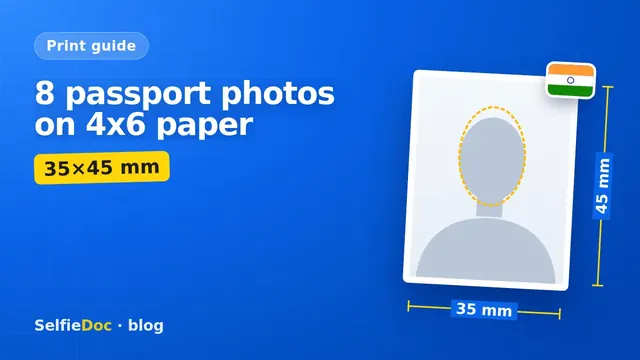
Eight passport size photos fit on one 4x6 inch sheet. Each photo is 35×45 mm (3.5 × 4.5 cm, about 1.38 × 1.77 inches), or roughly 413×531 px at 300 dpi. Turn the sheet to landscape and arrange the photos in 4 columns and 2 rows. You can prepare the 35×45 mm photo online from a good-quality selfie in SelfieDoc and then print the sheet.
Size of one photo and of the 8-photo sheet
The Passport Seva application form instruction booklet asks for a colour photo of 4.5 cm length × 3.5 cm width. Everything else on this page is calculated from that size.
| Parameter | Requirement | Source |
|---|---|---|
| Photo size | 35×45 mm (4.5 cm length × 3.5 cm width), in colour | Passport Seva instruction booklet |
| Pixels at 300 dpi | about 413×531 px (our calculation for printing, not an official requirement) | Calculated: mm ÷ 25.4 × 300 |
| Background colour | Check the current guidelines | passportindia.gov.in |
| Head size in the frame | Check the current guidelines | passportindia.gov.in |
| File size and pixels for online upload | Check the current guidelines | passportindia.gov.in |
Checked: October 2026 against the Passport Seva application form instruction booklet.
Here is the layout maths for the full sheet:
| Item | Measurement |
|---|---|
| 4x6 inch sheet, landscape | 152.4 × 101.6 mm, or 1800 × 1200 px at 300 dpi |
| 4 photos across | 4 × 35 mm = 140 mm (1652 px) |
| 2 photos down | 2 × 45 mm = 90 mm (1062 px) |
| Space left for gaps | about 12 mm across and 11 mm down |
| Suggested gap | about 2.5 mm between columns, about 3.5–4 mm between rows and edges |
In portrait orientation (101.6 mm wide) only 2 photos fit across and 3 fit down, so you get 6 photos. If a print shop gives you 6 instead of 8, the sheet was most likely laid out in portrait orientation.
Which documents use this 35×45 mm format
The 35×45 mm size is the standard "passport size" in India. The table shows where we have checked it and where you should check it yourself.
| Document or use | Is 35×45 mm on 4x6 paper right? |
|---|---|
| Indian passport application form (photo pasted in the box) | Yes. The Passport Seva booklet gives 4.5 × 3.5 cm in colour |
| Indian passport, online application and PSK visit | Check on passportindia.gov.in whether a printed photo is needed |
| Visa applications for other countries | Many ask for 35×45 mm. Check the embassy or visa centre page |
| Documents asking for 2×2 inch photos | No. This is a different, square format |
| Online forms with a KB or pixel limit | No. They need a digital file, not a printed sheet |
For more on the Indian passport itself, see our guide to Indian passport photo size. Our article on passport size photo size in cm, inches and pixels covers other common Indian sizes.
How 35×45 mm differs from the 2×2 inch format
The 2×2 inch format is square. 35×45 mm is a taller rectangle. A 2×2 inch photo is about 51 mm on each side, so it is wider and shorter than the Indian passport size. On a 4x6 sheet only 6 square photos fit, in a 3×2 grid.
Do not trim a 2×2 inch print down to 35×45 mm. The head ends up off-centre and too large for the frame. If a form asks for 2×2 inches, see our guide to dimensions of a passport photo. The two layouts compare like this:
| 35×45 mm (India) | 2×2 inch | |
|---|---|---|
| Shape | Tall rectangle | Square |
| Photos per 4x6 sheet | 8 (landscape, 4×2) | 6 (3×2) |
| Pixels at 300 dpi | about 413×531 px | 600×600 px |
How to print 8 passport size photos on 4x6 paper
You need one correctly sized photo file. Then you need someone to print it as a 4×2 grid. Most photo studios and print shops in India do this routinely.
- Get a 35×45 mm photo file at 300 dpi (about 413×531 px).
- Make a canvas of 1800×1200 px (4x6 inch, landscape, 300 dpi). Some labs print 10×15 cm, which is 1772×1181 px at 300 dpi. The 4×2 grid fits there too.
- Place 4 copies in the top row and 4 in the bottom row. Leave even gaps of a few millimetres.
- Add thin light-grey cutting lines in the gaps if you will cut the sheet by hand.
- Save as a high-quality JPEG and ask the shop to print at "actual size", with no "fit to page" or borderless cropping.
- After printing, measure one photo with a ruler. It should be 35 mm wide and 45 mm tall.
Prices at photo studios and print shops vary. Ask before you order.
At a photo studio
A studio takes the photo, crops it and prints the sheet in one visit. Ask for "8 passport size photos on 4x6" and mention the document. That way they crop to 35×45 mm and do not use a 2×2 inch template.
At home or from a selfie
You can take the photo at home with a phone in daylight against a plain wall. Then crop it to 35×45 mm. Our guide can I take my own passport photo covers lighting, distance and posture. In SelfieDoc you upload a selfie. The service crops it to the right size, evens out the background and positions the head, without changing your facial features. You then take the file to any print shop for the 4x6 sheet.
Whether a self-taken photo is accepted depends on the office. Check its official website before you apply.
Common mistakes with an 8-photo 4x6 sheet
Most problems come from the layout or printer settings, not from the photo itself.
- Portrait layout. Only 6 photos fit, or the shop squeezes 8 in and shrinks them.
- "Fit to page" printing. The printer scales the sheet, and every photo comes out a few millimetres smaller than 35×45 mm.
- Borderless printing. The lab trims the edges and can cut into the outer photos.
- Low-resolution file. A small phone screenshot stretched to 4x6 prints blurry. Start from at least 413×531 px per photo.
- Wrong format. A 2×2 inch template trimmed by hand gives the wrong proportions.
- No gaps. Photos touching each other are hard to cut without losing a strip of the image.
- Old or edited prints. The booklet asks for a recent colour photograph. Do not reuse an old sheet or apply beauty filters.
Sources
FAQ
How many passport size photos fit on 4x6 paper?
Eight photos of 35×45 mm fit on one 4x6 inch sheet. Turn the sheet to landscape and place them in 4 columns and 2 rows. In portrait orientation only 6 fit.
What is the size of 8 passport size photos in pixels?
At 300 dpi one 35×45 mm photo is about 413×531 px. A 4x6 sheet in landscape is 1800×1200 px. Four photos across take 1652 px and two rows take 1062 px, so the grid fits with room for cutting gaps.
Is a 10×15 cm print the same as 4x6?
Almost. A 4x6 inch print is 101.6×152.4 mm, and a 10×15 cm print is 100×150 mm. The 4×2 grid of 35×45 mm photos fits on both. Leave slightly smaller gaps on 10×15 cm.
What background should a passport size photo for an Indian passport have?
The Passport Seva instruction booklet we checked confirms the 4.5 cm × 3.5 cm colour photo size. For the background colour, check the current guidelines on passportindia.gov.in before printing.
Can I take an 8 passport size photo online?
You can prepare the photo itself online. SelfieDoc makes a 35×45 mm photo from a good selfie: it crops the image, evens out the background and positions the head without changing your facial features. You then print 8 copies on a 4x6 sheet at a photo studio or print shop. Whether a self-taken photo is accepted for your application is up to the issuing office. Check its official website.
Comments
Only registered users can comment
Sign in to commentSign in with the same account you use for SelfieDoc.
No comments yet. Be the first to ask a question, and we’ll answer.