


Can I take my own passport photo?
State Department guidance lists a home-made photo as an option, but it has to meet the same rules as a studio shot. Here are those rules and the steps to get it right.
Contents
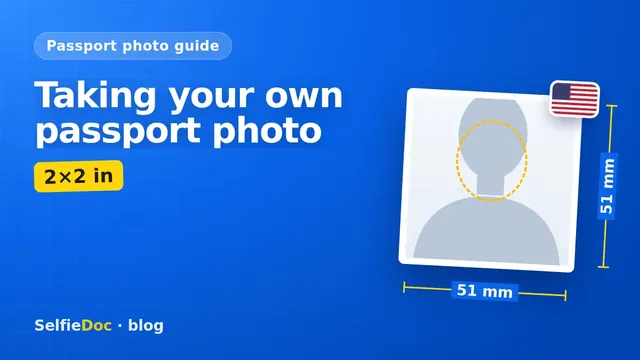
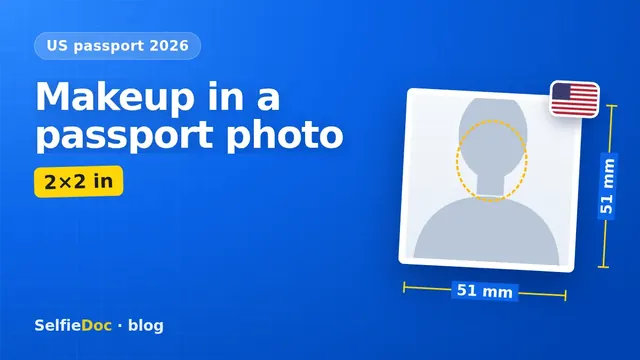
You can take your own passport photo, as long as it meets the same State Department rules as a studio shot. You need one color photo, 2×2 inches (51×51 mm), on a plain white or off-white background, taken within the last 6 months. It goes with a paper application such as Form DS-11, or you upload it as a 54 KB to 10 MB file for online renewal. You can also make this photo online from a good selfie in SelfieDoc.
What the State Department requires
The rules are the same whoever presses the shutter. The table below lists what official sources say. For the full breakdown of each rule, see our guide to US passport photo requirements.
| Parameter | Requirement | Source |
|---|---|---|
| Size | 2×2 inches (51×51 mm) | Form DS-11, travel.state.gov |
| Head height | 1 to 1⅜ inches (25–35 mm), chin to top of head; confirm on travel.state.gov | travel.state.gov |
| Background | Plain white or off-white, no shadows, texture or objects | travel.state.gov |
| Color | Color photo | travel.state.gov |
| Glasses | Not allowed since November 1, 2016, unless you have a signed doctor's statement | travel.state.gov |
| Head covering | Only religious (with a signed statement) or medical (with a doctor's statement), with the face fully visible | travel.state.gov |
| How recent | Taken within the last 6 months | travel.state.gov |
| Number of photos | One | travel.state.gov |
| Paper | Matte or glossy photo paper, no photocopies or scans | travel.state.gov |
| Digital file (online renewal) | JPG, JPEG, PNG, HEIC or HEIF, 54 KB to 10 MB | travel.state.gov |
| Editing | No filters or retouching, and no photo of a printed photo | travel.state.gov |
Checked: October 2026 against travel.state.gov and Form DS-11.
Some details are not confirmed. These include pixel dimensions for the digital upload and eye position in the frame. Check them on Confirm them on travel.state.gov before you submit.
Passport photo vs selfie: what changes
A passport photo is a selfie that follows strict rules. The difference comes down to the distance, angle and background, and to the final crop.
| Typical selfie | Passport photo | |
|---|---|---|
| Distance | Arm's length | Camera at a distance, with a timer or helper |
| Angle | Often from above or to the side | Straight on, at eye level |
| Background | Room, wall art, doorways | Plain white or off-white |
| Light | Lamp or window from one side | Even light on the face, no shadows |
| Expression | Anything goes | See our smile guide and check current rules on travel.state.gov |
| Final size | Phone screen | 2×2 inches printed, head 1–1⅜ inches |
A front camera held at arm's length can distort your face. Ask someone to take the photo, or prop the phone up and use the timer. For more on facial expression, read can you smile in a passport photo.
Taking your own passport photo: step by step
- Pick the wall. Use a plain white or off-white wall or a sheet with no pattern. Our guide to the passport photo background explains which shades work.
- Set up the light. Face a window in daylight, or use two lamps on either side of the camera. You should see no shadow behind your head and none on your face.
- Remove what isn't allowed. Take off your glasses, headphones and any hat that isn't religious or medical. Keep your face fully visible, with no shadows.
- Frame the shot. Keep the camera at eye level and look straight into it. Leave space above your head and below your shoulders so you can crop later.
- Take several shots. Turn off beauty mode and filters before you start.
- Crop to 2×2 inches. The head, from chin to top of hair, must measure 1 to 1⅜ inches in the final square.
- Print or upload. Print on matte or glossy photo paper for a paper application. For online renewal, upload a JPG, PNG or HEIC file between 54 KB and 10 MB.
Our step-by-step guide to taking a passport photograph with your phone covers the setup in more detail.
Common mistakes when you take your own passport photo
These problems are common in home-made photos:
- Shadows on the wall behind your head when the light comes from one side only.
- Glasses left on, including prescription glasses with clear lenses.
- The head is too small or too large after cropping. Measure it against the 1 to 1⅜ inch range.
- Beauty filters or smoothing turned on by default in the phone camera.
- A photo of a printed photo. It is not allowed for online uploads.
- Printing on plain paper or making a photocopy instead of using photo paper.
- An old photo. Anything taken more than 6 months ago does not qualify.
Should you do it yourself, go to a store, or use an online tool?
All three routes produce a photo that is judged by the same standard. The choice depends on your time and budget.
- At home: this costs nothing beyond printing. You do the cropping and measuring yourself.
- At a pharmacy, post office or photo studio: staff take the photo and print it for you. Prices vary by location. See how much passport photos cost.
- Online from a selfie: you take the photo at home, and a service handles the crop and background. SelfieDoc crops your photo to 2×2 inches, evens out the background and positions your head. It does not change your facial features. You can print the result or use the file for online renewal.
No route guarantees acceptance. The State Department reviews every photo against its rules.
Sources
- U.S. Department of State — Form DS-11 (PDF)
- U.S. Department of State — Passport photos: how to apply
- U.S. Department of State — Passport photo requirements
- U.S. Department of State — Online renewal photo guidance
- U.S. Department of State — Uploading a digital photo for online renewal
- U.S. Department of State — Online passport renewal: photo step
FAQ
Can I take my own passport photo with my phone?
A phone photo has to meet the same rules as any other passport photo. That means 2×2 inches when printed, a plain white or off-white background, no glasses, and no filters or retouching. Check the current guidance on travel.state.gov before you submit.
Can I take a US passport photo online?
You can prepare the photo online from a good selfie. SelfieDoc crops it to 2×2 inches, evens out the background and positions your head without changing your facial features. Print it for a paper application, or use the file for online renewal. The final decision always belongs to the State Department.
What is the difference between a passport photo and a selfie?
A selfie is usually taken at arm's length, often at an angle and against a busy background. A passport photo is straight-on, evenly lit and taken against a plain white or off-white background. It is printed at 2×2 inches with a head height of 1 to 1⅜ inches.
Can I wear glasses in a passport photo I take myself?
No. Glasses have not been allowed in US passport photos since November 1, 2016. If you cannot remove them for medical reasons, you need a signed statement from your doctor.
How recent does my passport photo need to be?
The photo must have been taken within the last 6 months.
Can I print my passport photo at home?
You can print it on matte or glossy photo paper at exactly 2×2 inches. Photocopies and scanned photos are not accepted.
Comments
Only registered users can comment
Sign in to commentSign in with the same account you use for SelfieDoc.
No comments yet. Be the first to ask a question, and we’ll answer.