



Background of a passport photo: what color the State Department accepts
The short rule from the State Department, why some colors don't fit, and how to set up a clean background at home.
Contents
- US passport photo background requirements
- Passport photo background color: white or off-white
- What makes a white background fail
- Can you use a passport photo background remover?
- How to get a white background at home
- Home, drugstore or online: where to get the photo
- Special cases: babies and wheelchair users
- Sources
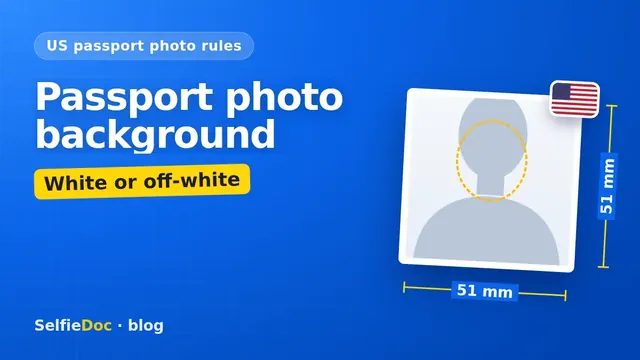
A US passport photo needs a plain white or off-white background with no shadows, texture, objects or lines. The photo itself is 2 × 2 in (51 × 51 mm), in color and taken within the last 6 months. You need one photo for your application. For online renewal, you upload a JPG, JPEG, PNG, HEIC or HEIF file between 54 KB and 10 MB. SelfieDoc can size and crop a good photo of you to the 2 × 2 in template, but the background has to be plain white or off-white in the original shot. Start with SelfieDoc once you have it.
US passport photo background requirements
The background rules work together with the rest of the photo rules, so the table includes both.
| Parameter | Requirement | Source |
|---|---|---|
| Background color | White or off-white | Passport Photos, travel.state.gov |
| Background surface | Plain: no texture, objects or lines | Passport Photos |
| Shadows and light | No shadows on the face or in the background; even light on the face; not too bright or washed out | Passport Photos |
| Editing | An original photo, without edits in software, apps or filters | Passport Photos, Uploading a Digital Photo |
| Photo size | 2 × 2 in (51 × 51 mm) | Passport Photos |
| Head height | 1–1 3/8 in (25–35 mm), from chin to top of head | Passport Photos |
| How many and how recent | 1 color photo taken within the last 6 months | Passport Photos |
| File for online renewal | JPG, JPEG, PNG, HEIC or HEIF; 54 KB to 10 MB | Uploading a Digital Photo |
Requirements as published on travel.state.gov (Passport Photos; Uploading a Digital Photo). Check the current wording on those pages before you apply.
Passport photo background color: white or off-white
The State Department allows two options: white and off-white. Both have to be plain, which means one even tone from edge to edge, with nothing on it.
Off-white gives you a little room, but the State Department doesn't define how far from pure white it can go, so pick a wall that looks as close to white as possible, even and free of shadows. The State Department doesn't publish a numeric limit for off-white, such as an RGB or HEX value. Some photo websites list color codes, but those are their own estimates, not the official rule.
A practical point: in weak or mixed light, a white wall can look grayish or yellowish in the photo. The color of the wall matters less than how you light it. More on that in the setup section below.
Is a blue, red or gray background allowed for a US passport?
No. The official pages name only white or off-white, and blue, red and gray are outside that rule. The State Department doesn't keep a separate list of banned colors. The white rule simply leaves no room for them.
A practical note, not an official rule: many "white" walls look light gray in photos. If your wall looks gray next to a sheet of printer paper, use the sheet trick below instead.
Seen a blue or red background elsewhere? It's for another document
Colored backgrounds come up in searches about passport and ID photos for other countries. Those rules don't carry over to a US passport, and US rules don't carry over to them. If you're applying for an Indian passport, see our Indian passport photo size guide. For any other document, check the issuing authority's official site.
A US visa photo also needs a plain white or off-white background. For the visa photo rules, see US visa photo requirements for the DS-160.
What makes a white background fail
A background fails when it's white but not plain. The State Department gives its own examples: a white brick wall fails because of its texture and lines, and a world map hanging on a wall fails because it's an object in the frame.
Check your shot for these problems:
- Texture. Brick, wood paneling, wrinkled fabric, textured paint.
- Lines and edges. Tile joints, corners, a door frame, the edge of a sheet.
- Objects. Pictures, shelves, light switches, plants, a lamp behind you.
- Shadows. A dark outline of your head or shoulders on the wall behind you.
- Too much light. A washed-out photo where your face and the background blend into one bright area.
- Uneven color (practical tip). One side warm, the other cool, when a window lights one side and a lamp the other.
Can you use a passport photo background remover?
The State Department asks for the original photo, with no changes made in software, apps or filters. Its example of an unacceptable photo shows a background cropped out with a retouching tool, which changed the outline of the head, face and neck.
The State Department checks all photos for digital alteration, and an edited or filtered photo will not be accepted. If your background isn't white, its advice is to fix the lighting and background and take a new photo.
So the background has to be right at the moment you take the photo. A plain white wall or sheet and even light are what you need in the shot itself.
How to get a white background at home
A plain white wall, or a white sheet on any wall, and even light are all you need. The State Department suggests the sheet option itself.
- Pick the wall. Choose a plain white or off-white wall with nothing on it. If you don't have one, hang a white sheet or blanket.
- Smooth the fabric. Pull the sheet tight or iron it. Wrinkles show up as texture and shadows.
- Step away from the wall. Stand several feet in front of it. The farther you stand, the less of your shadow lands on the background.
- Light your face from the front. Face a window in daylight, or put a soft light in front of you at face height. Avoid a single ceiling lamp right above you.
- Check the corners. Look at the edges of the frame: no door frame, no sheet edge, no objects.
- Look at the result. Zoom in and check for shadows behind your head and around your ears. If the photo looks washed out, reduce the light or move away from the window.
For phone settings, distance and framing, see how to take a passport photograph with your phone.
Home, drugstore or online: where to get the photo
All three options work if the result meets the rules in the table. The difference is who sets up the background and who checks the size.
| Option | Who handles the background | What to check |
|---|---|---|
| At home | You: wall or sheet, light, distance | Shadows, texture, size 2 × 2 in, head height |
| Photo counter in a store | The staff, with their backdrop | That the backdrop is clean and evenly lit in the print |
| Online from a selfie | You take the selfie; the service prepares the file | That the selfie is sharp, in even light, against a plain light wall |
With SelfieDoc, you start with a selfie against a plain light wall in even light. The service crops the photo to the 2 × 2 in template and positions your head within the required height, without changing your facial features. You get a digital file and a print layout.
If you renew online, the file also needs the right format and size: JPG, JPEG, PNG, HEIC or HEIF, from 54 KB to 10 MB.
Special cases: babies and wheelchair users
The background rule stays the same for everyone, but the State Department describes two practical setups.
Babies and toddlers. Lay the child on a plain white or off-white sheet. You can also cover a car seat with a white sheet and take the photo with the child in the seat.
Wheelchair users. Part of the head support can appear in the photo. In that case, include a note with your application explaining why the background isn't fully white.
Sources
FAQ
What color background is required for a US passport photo?
The background must be white or off-white. It also has to be plain, with no shadows, texture, objects or lines. The State Department doesn't name any other color.
Can a US passport photo have a blue background?
No. The official rule names only white or off-white, and blue is outside that rule. The State Department doesn't publish a list of banned colors. The rule simply leaves no room for blue, red or gray. If you saw a blue background in a requirement, it probably belongs to another country's document. Check that country's official site.
Is off-white OK for a passport photo?
Yes. The State Department allows white or off-white. It doesn't give a numeric limit such as an RGB or HEX code. Aim for a light, even, near-white tone without patterns or shadows.
Can I use a passport photo background remover?
The State Department asks for an original photo with no changes made in software, apps or filters. Its example of an unacceptable photo shows a background cropped out with a retouching tool, which changed the outline of the head, face and neck. If your background isn't white, its advice is to fix the lighting and background and take a new photo.
Can I take a US passport photo online?
You can take the photo yourself and prepare it online. Take a photo of yourself against a plain light wall in even light (a helper makes framing easier). SelfieDoc then crops it to 2 × 2 in and positions your head, without changing your facial features. You get a file and a print layout. The final decision on your photo is made by the State Department.
What if my wall isn't white?
Hang a white sheet or blanket on the wall and stand several feet away from it. This is the setup the State Department itself suggests for home photos.
Comments
Only registered users can comment
Sign in to commentSign in with the same account you use for SelfieDoc.
No comments yet. Be the first to ask a question, and we’ll answer.