



PAN card photo size: Form 93, Protean, UTIITSL and e-KYC
The answer depends on how you apply. Here are the sizes for the paper form and each online route, the KB limits, and the cases where you need no photo at all.
Contents
- PAN card photo requirements by route
- Paper Form 93: two photos of 4.5×3.5 cm
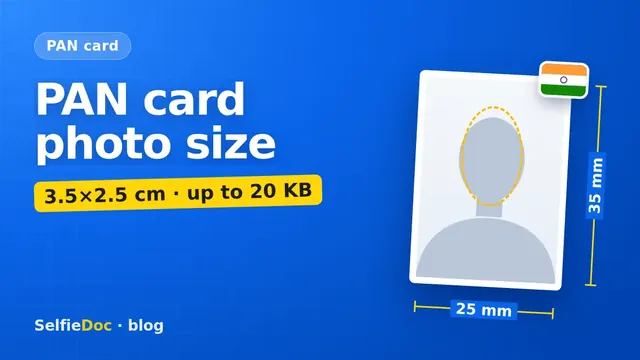
- Protean (NSDL) online: 3.5×2.5 cm, 200 dpi, 20 KB
- UTIITSL online: follow the upload screen
- When you don't need a photo: Aadhaar e-KYC and Instant e-PAN
- Changing the photo on an existing PAN
- Common PAN photo mistakes
- How to make a PAN photo
- Sources
The PAN card photo size depends on how you apply. For the paper Form 93, which replaced Form 49A on 1 April 2026, you affix two recent colour photos of 4.5×3.5 cm on a white background. For an online application on Protean (formerly NSDL) with scanned images, you upload a colour JPEG of 3.5 cm high × 2.5 cm wide at 200 dpi, up to 20 KB on the DSC route or 50 KB on the e-Sign route. If you apply with Aadhaar e-KYC or Instant e-PAN, no photo is needed: the one from Aadhaar is used. You can make the upload photo online from a good selfie in SelfieDoc: the service fits the size, background and head position to the requirements.
PAN card photo requirements by route
| How you apply | Photo | Source |
|---|---|---|
| Paper Form 93 (new PAN, Indian citizen) | two recent colour photos, 4.5×3.5 cm, white background; sign across the left one | Form 93, Income Tax Department |
| Protean online, DSC route | colour JPEG, 3.5×2.5 cm, 200 dpi, max 20 KB | Protean DSC instructions |
| Protean online, scanned images with e-Sign | JPEG, 3.5 (H) × 2.5 (W) cm, max 50 KB | Protean e-Sign guide |
| Protean e-KYC | no upload; you agree to print the Aadhaar photo on the PAN | Protean e-Sign guide |
| Instant e-PAN (e-filing portal) | no scanned photo or signature | Income Tax e-filing FAQ |
| UTIITSL online | limits shown on the upload screen | UTIITSL portal |
| Signature scan (Protean) | 2×4.5 cm, 200 dpi; max 10 KB (DSC) or 50 KB (e-Sign) | Protean |
Checked: October 2026 against Form 93 on the Protean PAN site and Protean's online application instructions.
Paper Form 93: two photos of 4.5×3.5 cm
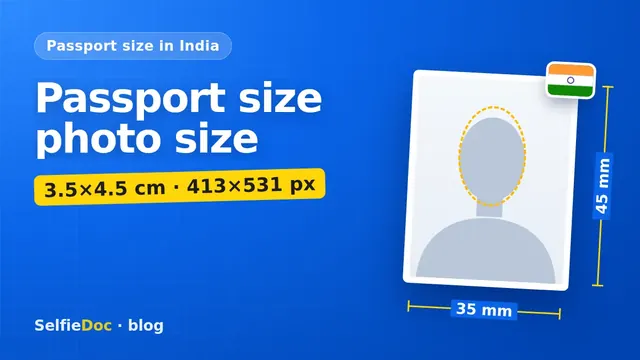
From 1 April 2026, new PAN applications are made on the forms prescribed under the Income-tax Rules, 2026. Indian citizens use Form 93; it replaced Form 49A. The photo box grew with it: Form 49A asked for 3.5×2.5 cm, Form 93 asks for 4.5×3.5 cm, the same size as a standard Indian passport photo.
The form's instructions say:
- Affix two recent colour photographs with a white background in the spaces provided. This applies to all applicants, including minors.
- Don't staple or clip them. Paste them.
- Sign or put your left thumb impression across the photo on the left, so part of the signature is on the photo and part on the form.
- Keep the photo on the right clean, with no marks.
The form also warns that the clarity of the image on your PAN card depends on the quality of the photo you affix. A blurry print from an office printer will give you a blurry card for years.
Protean (NSDL) online: 3.5×2.5 cm, 200 dpi, 20 KB
On Protean's online application with scanned images, the photo is a colour JPEG of 3.5 cm high and 2.5 cm wide, scanned at 200 dpi. Protean publishes two file-size limits:
- 20 KB in the instructions for DSC-based applications;
- 50 KB in its guide for scanned images with e-Sign.
A photo under 20 KB passes both, so that's the safe target.
PAN card photo size in pixels
Protean gives centimetres and dpi, not pixels. The maths is simple: pixels = cm ÷ 2.54 × dpi.
| Size | At 200 dpi |
|---|---|
| Width 2.5 cm | about 197 px |
| Height 3.5 cm | about 276 px |
So a file of roughly 197×276 pixels matches the stated size at 200 dpi. At that size, a normal JPEG usually fits into 20 KB without visible loss. A raw phone photo is several megabytes, which is why the upload fails if you skip resizing.
The signature scan has its own box: 2 cm high and 4.5 cm wide at 200 dpi, up to 10 KB on the DSC route.
UTIITSL online: follow the upload screen
UTIITSL is the second authorised PAN service provider. Its online application asks for the photo and signature as JPEG files, and the exact limits appear on the upload screen. Many resizer websites quote 213×213 pixels and 30 KB for UTIITSL. We could not confirm these numbers on UTIITSL's public pages, so go by the hint on the form itself. Don't reuse a Protean file without checking: the shape is different.
When you don't need a photo: Aadhaar e-KYC and Instant e-PAN
Two routes skip the photo entirely:
- Protean e-KYC. You're asked whether the photograph in Aadhaar can be printed on the PAN card. Select "Yes" and there's nothing to upload. Select "No" and you'll be sent to other application modes.
- Instant e-PAN on the Income Tax e-filing portal. It's free, uses your Aadhaar and the mobile number linked to it, and the official FAQ says no scanned photo or signature is needed. It's open only to adults who don't already have a PAN.
If your Aadhaar photo is old and you'd rather have a better one on the card, apply with scanned images instead.
Changing the photo on an existing PAN
To update the photo, apply for a change or correction with a reprint. Protean's guide for this route uses the same upload rules: a recent colour photo, 3.5×2.5 cm, JPEG, up to 50 KB with e-Sign.
Common PAN photo mistakes
- Using Form 49A sizes on Form 93. A 3.5×2.5 cm print looks small in the new 4.5×3.5 cm box. Use the new size on paper.
- Uploading the 4.5×3.5 cm shape online. Protean's upload is still 3.5×2.5 cm, a narrower rectangle.
- A file over the limit. Protean caps the photo at 20 KB on the DSC route and 50 KB with e-Sign. Check the file properties before you upload.
- Swapping photo and signature fields. Both are JPEGs with similar names. Look at the preview Protean shows after upload.
- Signing across both photos on Form 93, or across the right one. Only the left photo is signed.
- A coloured background. Form 93 asks for white.
How to make a PAN photo
At a photo studio. Ask for two 4.5×3.5 cm prints on white for the paper form. For an online upload, ask for a 3.5×2.5 cm JPEG under 20 KB.
At home. Stand in front of a plain white wall facing a window in daylight. Ask someone to shoot from chest height, straight on. Crop to a 5:7 rectangle with your head and the top of your shoulders, resize to about 197×276 pixels and save as JPEG.
Online from a selfie. SelfieDoc crops the photo to 3.5×2.5 cm, sets the head position and checks size and background before you download it. Your facial features stay as they are.
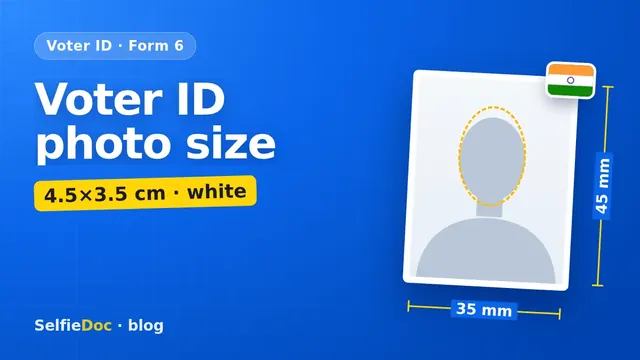
PAN is one of several Indian forms with its own size. For a side-by-side table of the formats, see our passport size photo dimensions guide, and if you're also registering as a voter, see the voter ID photo size for Form 6.
Sources
- Form No. 93, Application for allotment of PAN (Income-tax Rules, 2026), Protean PAN downloads: photo instructions c) and d).
- Income Tax Department: Form No. 93.
- Protean: Online application for new PAN, DSC-based applications: scanned image specifications.
- Protean: Step-by-step guide to applying for a PAN card online: e-Sign scanned images and e-KYC.
- Protean: PAN reprint and update.
- Income Tax e-filing portal: Instant e-PAN FAQ.
FAQ
What is the PAN card photo size in KB?
On Protean (NSDL), the instructions for DSC-based online applications allow a JPEG photo of up to 20 KB at 200 dpi; Protean's e-Sign guide allows up to 50 KB. A file under 20 KB fits both.
What is the PAN card photo size in cm?
For the paper Form 93, affix two colour photos of 4.5×3.5 cm on a white background. For a scanned photo uploaded to Protean, the size is 3.5 cm high and 2.5 cm wide.
Do I need a photo if I apply through Aadhaar e-KYC?
No. In Protean's e-KYC route you are asked whether the photo from Aadhaar can be printed on the PAN card, and Instant e-PAN on the Income Tax e-filing portal also needs no scanned photo or signature.
Where do I sign on the PAN form photo?
On Form 93, sign or put your left thumb impression across the photo on the left side, so part of it is on the photo and part on the form. The photo on the right must stay clean.
Can I make a PAN card photo online?
Yes. SelfieDoc crops a selfie to 3.5×2.5 cm, places the head and checks size and background without changing your face. Check the file weight against your portal's KB limit before uploading.
Comments
Only registered users can comment
Sign in to commentSign in with the same account you use for SelfieDoc.
No comments yet. Be the first to ask a question, and we’ll answer.