



USCIS Photo Requirements 2026: Size, Background and Forms
What USCIS asks for in the photos you mail with an application, what the official text leaves open, and how to get prints that match.
Contents
- What USCIS requires in a photo
- Where the photos go and whether your own photo works
- Form by form: I-485, I-765, I-131, I-130 and N-400
- Is there an official USCIS photo tool?
- USCIS vs passport photo requirements
- Common photo mistakes in USCIS packets
- Glasses, headwear and children
- How to take the photo: at home, at a photo counter or online
- Sources
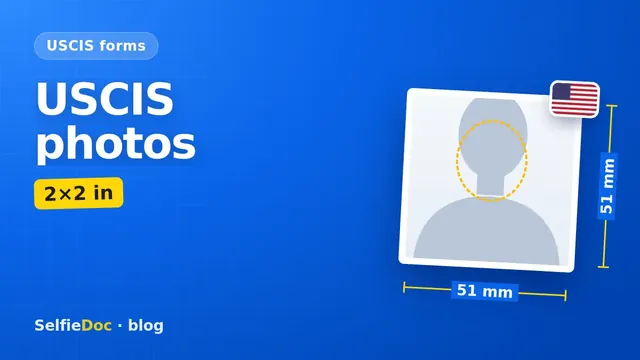
The USCIS Policy Manual asks for two passport-style photos: 2×2 inches (about 50.8×50.8 mm), in color, full face, on a white to off-white background, printed on thin glossy paper, unmounted and un-retouched, and taken within 30 days of filing (the Policy Manual page does not say which form this covers). The number of photos and how recent they must be can depend on the form, so check your form instructions before you mail your paper application. You can make this photo online from a good selfie in SelfieDoc.
What USCIS requires in a photo
The core rules come from the USCIS Policy Manual. It covers the format, paper and age of the photo. It does not list head size or pixel specs, so those rows below say where to check.
| Parameter | Requirement | Source |
|---|---|---|
| Number of photos | Two passport-style photographs must be included | USCIS Policy Manual, Vol. 7, Part A, Ch. 4 |
| Size | 2×2 inches (about 50.8×50.8 mm) | USCIS Policy Manual, Vol. 7, Part A, Ch. 4 |
| Color and pose | In color, full face, frontal view | USCIS Policy Manual, Vol. 7, Part A, Ch. 4 |
| Background | White to off-white | USCIS Policy Manual, Vol. 7, Part A, Ch. 4 |
| Paper | Thin paper with a glossy finish | USCIS Policy Manual, Vol. 7, Part A, Ch. 4 |
| Mounting and editing | Un-mounted and un-retouched | USCIS Policy Manual, Vol. 7, Part A, Ch. 4 |
| Age of the photo | Taken within 30 days of filing | USCIS Policy Manual, Vol. 7, Part A, Ch. 4 |
| Head size and eye position | Not given on the page we checked | Check your form instructions on uscis.gov |
| Digital file (px, KB) | No USCIS pixel or file-size rule found for paper filings. A 2×2 inch print at 300 dpi equals 600×600 px (calculation for printing) | Calculation: 2 in × 300 dpi |
Checked: October 2026 against USCIS Policy Manual, Vol. 7, Part A, Ch. 4.
Where the photos go and whether your own photo works
The printed photos travel with your application. You put them in the packet you mail to USCIS, following the form instructions. The Policy Manual describes the photo itself and does not say who must take it. So a photo from a pharmacy counter, a studio or your own camera can work, as long as the print meets the rules above.
Some applications also involve a biometrics appointment. If USCIS schedules one, the notice tells you where and when to go. Whether you need printed photos as well depends on your form instructions. Read the instructions first to see if printed photos are needed for your form and your situation.
We did not find USCIS rules for uploading a digital photo. If you file online in your USCIS account, follow the on-screen steps for that filing.
Form by form: I-485, I-765, I-131, I-130 and N-400
Each form has its own instructions, and they decide the details. The general rules above cover size, color, background and paper. Per-form details can differ, especially the number of photos and how recent they must be.
I-485 photos
For USCIS photo requirements for I-485, the Policy Manual chapter we checked says two passport-style photographs must be included, taken within 30 days of filing, but it does not say which form this applies to. The I-485 instructions may word the timing more loosely than 30 days, so confirm it in the PDF. Check the number of photos and how recent they must be in the current edition of the I-485 instructions (PDF).
I-765 photo
For a work permit application, open the I-765 instructions and check whether photos are required for your filing category and how many to send.
I-131 photo
The I-131 covers several travel documents. Photo needs can depend on which document you request, so read the part of the instructions for your request.
I-130 photo
Photo rules for I-130 are set in its instructions. Check how many photos each person needs and how recent they must be.
Naturalization photo (N-400)
For naturalization, the N-400 instructions on uscis.gov say whether printed photos are required in your case. If photos are required, follow the format described in those instructions.
Is there an official USCIS photo tool?
We did not find one. The "photo tool" results in search are State Department tools made for US passport photos. They can help you see what a 2×2 photo looks like. For an immigration form, though, the USCIS text and your form instructions are what count.
USCIS vs passport photo requirements
USCIS uses the phrase "passport-style photographs". In practice this means the familiar 2×2 inch color format. The State Department writes its own photo rules for US passports and visas. If you also need a visa photo, see our guide to US visa photo requirements for the DS-160. For a USCIS packet, stick to the USCIS rules: white to off-white background, thin glossy paper, unmounted, un-retouched, taken within 30 days of filing.
Common photo mistakes in USCIS packets
Each item below breaks a rule from the USCIS Policy Manual or may conflict with your form instructions.
- Wrong size. The print is not 2×2 inches, for example a wallet-size cutout.
- Black-and-white print. USCIS asks for color.
- Colored or busy background. The background must be white to off-white.
- Thick or matte paper. The text asks for thin paper with a glossy finish.
- Mounted or retouched photos. Prints must be un-mounted and un-retouched.
- Old photos. A photo taken more than 30 days before filing may not meet the Policy Manual rule, and your form instructions may set a different limit.
- Wrong number of photos. The Policy Manual says two photographs must be included, but your form instructions may give a different number.
Before you seal the envelope, check each photo against this list. Then compare it with your form instructions.
Glasses, headwear and children
The Policy Manual page we checked does not cover glasses, head coverings or expression. Look for these points in your form instructions. If they say nothing, a plain photo without glasses and with your full face visible is the simplest choice.
For children, we did not find separate USCIS photo rules. Follow the form instructions for the child's application. For a child's photo, a photo studio or a pharmacy photo counter is often the easiest option.
How to take the photo: at home, at a photo counter or online
You have three practical options.
- Photo counter or studio. Many pharmacies and photo studios print 2×2 inch photos. Tell them the photos are for a USCIS application and ask for glossy paper.
- At home. Stand in front of a plain white or off-white wall, face the camera straight on and use even daylight. Our guide on taking a passport photograph with your phone covers light, distance and framing.
- Online from a selfie. SelfieDoc crops the photo to the USCIS 2×2 inch template, replaces the background with white and sets the size. It does not change your facial features. You get the photo file and a print layout. Print it at a photo lab on thin glossy paper and cut the photos out.
Whatever route you choose, print as many identical copies as your form instructions ask for and keep the date in mind. Under the Policy Manual, the 30-day count runs from the day the photo was taken to the day you file.
Sources
FAQ
Can I take a USCIS photo online?
Yes, you can prepare it from a good selfie. An online service like SelfieDoc gives you a 2×2 inch file on a white background and a print layout. You still need to print it on thin glossy paper, because USCIS asks for printed photos. SelfieDoc crops the photo, replaces the background with white and sets the 2×2 inch size. It does not change your facial features.
How many photos do I need for Form I-485?
The USCIS Policy Manual says two passport-style photographs must be included, but the page we checked does not say which form this covers. Open the current edition of the I-485 instructions to confirm whether photos are required for your filing and how many, before you mail your packet.
Is there an official USCIS photo tool?
We did not find an official USCIS photo tool. The photo tools that show up in search results belong to the State Department and are made for US passports.
Are USCIS photos the same as passport photos?
USCIS asks for passport-style photos: 2×2 inches, in color, full face, frontal view, on a white to off-white background. The State Department sets its own rules for passports and visas. Pixel sizes such as 600×600 px are not a USCIS requirement: that figure is only a print calculation (2 inches at 300 dpi). We found no USCIS digital photo rules for paper filings. For your application, follow the USCIS text and your form instructions.
How recent must USCIS photos be?
The USCIS Policy Manual says the photographs must have been taken within 30 days of filing. Some form instructions may word this differently, so check the edition of the instructions for your form.
Do I need photos for a naturalization application?
Check the current Form N-400 instructions on uscis.gov. They say whether printed photos are required in your situation and how many to send.
Comments
Only registered users can comment
Sign in to commentSign in with the same account you use for SelfieDoc.
No comments yet. Be the first to ask a question, and we’ll answer.