



NYSC passport photograph: what the portal asks for
The official NYSC photo specifications, how to get the upload right at the cyber café, and the prints to carry to camp.
Contents
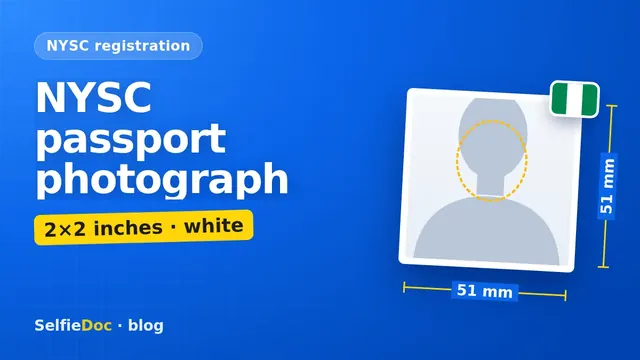
The NYSC passport photograph is 2×2 inches (51×51 mm) on a white or off-white background with no shadow. The NYSC portal asks that your face, including eyes, nose, ears, mouth and jaw, is fully visible without bending, that the picture fills the frame and is centred, and that the room is well lit. You upload it during online registration, where your fingerprints are captured too, so check the photo and preview the whole form before you submit. You can make the photo online from a good selfie in SelfieDoc: the service fits the size, background and face position to the requirements.
NYSC passport photograph requirements
| Parameter | Requirement | Source |
|---|---|---|
| Size | 2×2 inches (51×51 mm) | NYSC portal, biometric registration page |
| Background | white or off-white only, no shadow | NYSC portal; nysc.gov.ng |
| Face | eyes, nose, ears, mouth and jaw fully visible, without bending | NYSC portal; nysc.gov.ng |
| Framing | picture fills the frame and is centred | NYSC portal; nysc.gov.ng |
| Light | well-illuminated environment | NYSC portal |
| Quality | clean and clear photo | NYSC online registration guide |
| File size (KB) | not published; follow the upload screen | — |
| In pixels | 600×600 px at 300 dpi (calculation for 2×2 in) | — |
Checked: October 2026 against portal.nysc.org.ng and nysc.gov.ng.
What "2×2 inches" means for the upload
Two by two inches is a square photo, 51×51 mm when printed. For the soft copy, a square image works: at 300 dpi, the usual print quality, 2×2 inches is 600×600 pixels.
NYSC's public pages don't give a pixel size or a KB limit for the upload. You'll find plenty of "NYSC passport size in KB" numbers online, but they don't come from NYSC. Go by what the upload screen tells you on the day. If the portal rejects the file as too big, save the same photo again as a smaller JPG instead of taking a new one.
"Fills the frame" means your head and the top of your shoulders take up most of the square. A tiny face in the middle of a big white space is the wrong way round.
How NYSC registration works, and where the photo comes in
- Pick your batch. Registration opens batch by batch (A, B, C), and the open window is shown on the portal home page.
- Fill in your details and pay through Remita.
- Capture your fingerprints. NYSC accepts only the Digital Persona U.are.U 4500 fingerprint scanner and recommends its desktop client. If you don't have the scanner, a cyber café that has one can do this step with you.
- Upload your passport photograph and signature. NYSC's own registration guide says: upload a clean and clear passport photograph with an off-white background.
- Preview the registration form to make sure all details are correct, accept the terms and submit.
- Print your documents, including the call-up letter, for camp.
Two NYSC warnings matter here. Don't register by proxy: the person on the photo and the fingerprints must be you. And remember which fingers you used, because they will be checked at the orientation camp. NYSC says those who can't be verified with their biometrics at camp will not be registered.
Treat the uploaded photo as final
Take the preview step seriously. NYSC's guide asks you to preview the form before you submit, and the photo is part of that form. NYSC's public pages don't describe a way to swap the photo after submission, so treat what you upload as final. If you're at a cyber café, bring the photo on your phone or a flash drive and check it on the big screen before it goes in.
At camp your fingerprints are checked against your registration. A recent photo that looks like you today is the safe choice.
How many passport photographs to take to camp
NYSC doesn't publish a number on its public pages, but you may be asked for prints during camp registration. Read your call-up letter and the instructions from your state for the exact list, and carry several prints of the same photo you uploaded: 2×2 inches, white or off-white background.
Get the prints done before you travel, so you aren't hunting for a photo shop on your first day.
Common NYSC photo mistakes
- Red or blue background left over from another document. NYSC asks for white or off-white only.
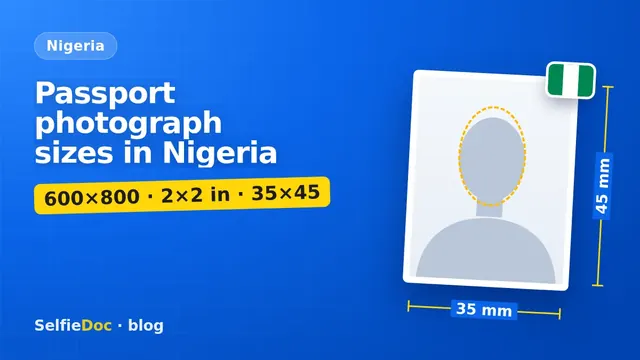
- 35×45 mm rectangle instead of a 2×2 inch square. The portal photo is square.
- Ears or jaw hidden by hair, a cap or a scarf. The whole face must show.
- Head tilted or bent. NYSC asks for the face "without bending": look straight into the camera.
- Dark room photo. A flash in a dim cyber café gives harsh shadows. Daylight from a window is better.
- Shadow behind the head. Stand about a metre from the wall so your shadow falls away from it.
- Old photo from secondary school. Use a recent one that looks like you today.
- Someone else's fingers or photo at a cyber café that registers "on your behalf". NYSC forbids registration by proxy.
How to get your NYSC passport photograph
At a studio or business centre. Ask for "NYSC passport photograph, 2 by 2 inches, white background", a soft copy and a set of prints of the same shot.
At home with a phone. Use a white wall or a plain white sheet pinned flat, face a window in daylight, and ask a friend to take the photo at eye level. Our guide on taking a passport photograph with your phone explains the light and the file size.
Online from a selfie. SelfieDoc crops the photo to the 2×2 inch square, centres your face and checks the background before you get the file. Your facial features stay as they are. You get the soft copy for the portal and a sheet you can print at any photo shop.
If you need photos for other documents too, such as a passport or a visa, our passport photograph size guide for Nigeria compares the formats side by side.
Sources
FAQ
What is the size of the NYSC passport photograph?
The NYSC portal says the passport size must be 2×2 inches, which is 51×51 mm. The picture should fill the frame and be centred, on a white or off-white background.
What background colour does NYSC accept?
White or off-white only, with no shadow. A red or blue background from another document is not on the list.
What KB size is the NYSC passport photograph?
NYSC doesn't publish a file-size limit on its public pages. Follow the message on the upload screen, and if the portal refuses the file, save a smaller JPG of the same photo.
How many passport photographs should I take to NYSC camp?
NYSC doesn't state a number on its public pages. Check your call-up letter and your state's instructions, and carry several prints of the same photo you uploaded.
Can I make my NYSC passport photograph online?
Yes. SelfieDoc crops a clear selfie to the 2×2 inch NYSC format and checks the background and centring without changing your face. You get a soft copy to upload and a sheet for prints.
Comments
Only registered users can comment
Sign in to commentSign in with the same account you use for SelfieDoc.
No comments yet. Be the first to ask a question, and we’ll answer.