


How to take a passport photograph with your phone at home
A step-by-step way to get a usable passport photograph from your phone in Nigeria, even when there's no light, and how to size the file for NIS, NYSC and visa portals.
Contents
- What a home passport photograph must meet
- Step 1: Set up a white background
- Step 2: Use daylight, not the bulb
- Step 3: Let someone else hold the phone
- Step 4: Pose for the document, not for Instagram
- Step 5: Switch off filters and beauty mode
- Step 6: Crop to size and check the KB
- Common mistakes with phone passport photographs
- Phone, studio or online?
- Sources
To take a passport photograph with your phone, stand about a metre in front of a plain white wall or a white sheet, face a window in daylight, and have someone take the photo with the back camera at eye level. Turn off filters, beauty mode and portrait blur, take off your glasses and keep your ears visible. Then crop the photo to the size your portal asks for, for example 600×800 px under 2 MB for the Nigerian passport, and test it before you apply. You can also turn the phone photo into a ready document photo in SelfieDoc: the service fits the size, background and head position to the requirements.
What a home passport photograph must meet
The rules come from the portal you're uploading to. These are the main ones in Nigeria:
| Parameter | NIS passport portal | NYSC registration |
|---|---|---|
| Size | 600×800 px | 2×2 inches (square) |
| File size | under 2 MB, JPG or PNG | not published; follow the upload screen |
| Background | white, no shadows | white or off-white, no shadow |
| Light | not too dark, not too bright, no shadows on the face | well-illuminated environment |
| Face | neutral, mouth closed, eyes open, hair off face and ears | eyes, nose, ears, mouth and jaw fully visible |
| Glasses | not allowed | not stated; take them off to avoid glare |
| Colour | colour only, natural skin tones | — |
Checked: October 2026 against passport.immigration.gov.ng and portal.nysc.org.ng.
Some documents don't take your own photo at all. For JAMB UTME registration, WAEC GCE registration and the FRSC driver's licence, your photo is captured at the registration centre, cyber café or licence centre. A home photo is for portals that ask you to upload one.
Step 1: Set up a white background
Use a plain white wall with nothing on it: no switches, calendars or picture frames behind your head. No white wall at home? Take a white bedsheet, pull it tight and pin it flat to the wall or a door. Creases show up as grey lines.
Stand about one metre in front of the wall, not with your back against it. That way your shadow falls behind you and out of the frame.
A cream or light grey wall can pass as "off-white" for NYSC, but the NIS passport portal asks for white. When in doubt, use the sheet.
Step 2: Use daylight, not the bulb
Take the photo in the daytime. Face a window so the light falls evenly on your whole face. Late morning or early afternoon on a bright day works well, and daylight doesn't depend on whether there's light from the grid or the generator is on.
Avoid:
- a single bulb on the ceiling, which puts shadows under your eyes and nose;
- direct hot sun on one side of the face, which makes one half bright and the other dark;
- the phone flash up close, which gives shine on the forehead and red eyes.
NIS asks for a photo that is neither too dark nor too bright, with no shadows on the face or background. If one cheek is darker than the other, turn so you face the window squarely.
Step 3: Let someone else hold the phone
Use the back camera. It's sharper than the selfie camera. Ask a friend or family member to stand about 1.5 metres away and hold the phone at the height of your eyes, straight, not tilted.
If you must take it alone, prop the phone on a stack of books at eye level and use the timer. An arm's-length selfie is too close: it makes the nose look bigger and the ears smaller, and the arm often ends up in the frame.
Take ten or so shots. It costs nothing and gives you a choice.
Step 4: Pose for the document, not for Instagram
- Look straight into the camera, head not tilted up, down or to the side.
- Neutral face, mouth closed, both eyes open. No smile.
- Glasses off. NIS doesn't allow them in passport photos.
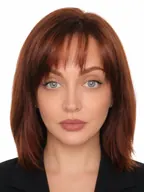
- Hair away from the face and ears visible. Tie back braids or long hair.
- No cap, fashion gele, headphones or face mask. A head covering worn for religion is allowed by NIS if your whole face stays visible.
- Wear a top in a colour that isn't white, so your shoulders don't vanish into the background.
Step 5: Switch off filters and beauty mode
Before you shoot, turn off beauty mode, skin smoothing, filters and portrait (background blur) mode. The NIS photo guidelines have a section on digital alterations and retouching, and ask that brightness, contrast and colour show you as you really are, with the face in focus and not over-sharpened.
The NIS photo examples also mark a background "cropped out using a photo retouching tool" as unacceptable, because it changes the outline of the head and neck. That's why the white wall matters: start with a clean background in the photo itself.
Step 6: Crop to size and check the KB
A phone photo is far bigger than any portal needs: several thousand pixels wide and often several megabytes. Crop it to the portal's size:
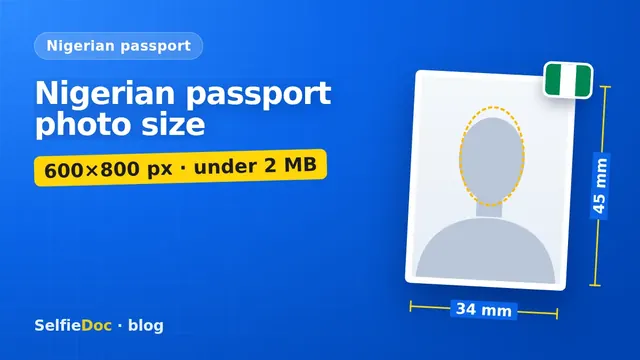
- NIS passport portal: 600×800 px, under 2 MB, JPG or PNG. For where your head should sit in that frame, see our Nigerian passport photo size guide.
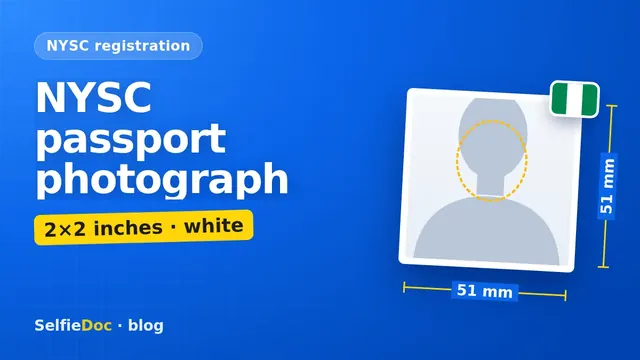
- NYSC registration: a square photo, 2×2 inches. Our NYSC passport photograph guide has the details.
- US visa (DS-160): square, 600×600 to 1200×1200 px, JPEG, up to 240 kB. See the US visa photo requirements.
Cropping to these sizes usually brings the file well under the limit on its own. If it's still too big, save it again as a JPG at slightly lower quality. Don't squeeze it until the face looks blocky: NIS asks for no visible pixels or graininess.
Then use the Test Photo Upload on the NIS passport portal home page to check your photo before you start the real application.
Common mistakes with phone passport photographs
- Selfie at arm's length, with a big nose and the arm in the frame.
- Shadow on the wall behind the head because you stood against it.
- Evening photo under a yellow bulb: orange skin, grey background.
- Beauty mode left on, which smooths the skin and changes your look.
- Portrait mode blur, which smears the edges of the hair.
- Background replaced with an app instead of a real white wall.
- Glasses or a cap left on.
- Uncropped photo uploaded straight from the gallery: wrong size, too many MB.
Phone, studio or online?
Studio or business centre. The quickest route if you need prints today. Ask for the exact format by name, for example "NIS passport, 600×800 soft copy" or "NYSC, 2 by 2 inches".
Phone at home. Free, and fine for upload portals if you follow the steps above. You still need a photo shop for prints.
Online from your phone photo. SelfieDoc takes the photo you shot against the white wall, crops it to the document format, sets the head position and checks the background before you get the file. Your facial features stay as they are. Check the pixel size against your portal before you upload.
Sources
- Nigeria Immigration Service passport portal: photo guidelines and Test Photo Upload.
- NYSC portal: passport photograph specifications.
- US Department of State: digital image requirements for visa photos.
- JAMB: Manual for Officials of 2026 UTME (photo taken physically at registration).
- WAEC Nigeria registration portal: fingerprints and passport photo taken at an approved cyber café.
- FRSC Nigeria Driver's Licence portal: biometric capture at the Driver's Licence Centre.
FAQ
Can I take my passport photograph with my phone?
For portals that ask you to upload a photo, such as the NIS passport portal or NYSC registration, yes, if the photo meets their rules: white background, even light, sharp focus, no glasses. Some, like JAMB UTME registration, WAEC GCE registration and the driver's licence, take your photo at the centre instead.
What background should I use at home?
A plain white wall, or a white bedsheet pulled tight and pinned flat. NIS asks for a white background, NYSC for white or off-white, both without shadows.
Should I use the front or back camera?
The back camera, held by someone else at your eye level from about a metre and a half away. It's sharper than the selfie camera and the distance keeps your face in natural proportions.
How do I reduce my passport photograph to the right KB?
Crop it to the size the portal asks for first, for example 600×800 px for the NIS passport, then save it as a JPG. A cropped photo is usually far smaller. NIS accepts files under 2 MB.
Can I make a passport photograph online from my phone photo?
Yes. SelfieDoc crops a photo taken against a white wall to the document format and checks the head position and background without changing your face. Check the final pixel size against your portal before uploading.
Comments
Only registered users can comment
Sign in to commentSign in with the same account you use for SelfieDoc.
No comments yet. Be the first to ask a question, and we’ll answer.