


US visa photo requirements for the DS-160 and the interview
The State Department's photo rules in plain words, the digital file the DS-160 accepts, and what applicants in Nigeria and India should bring to their appointments.
Contents
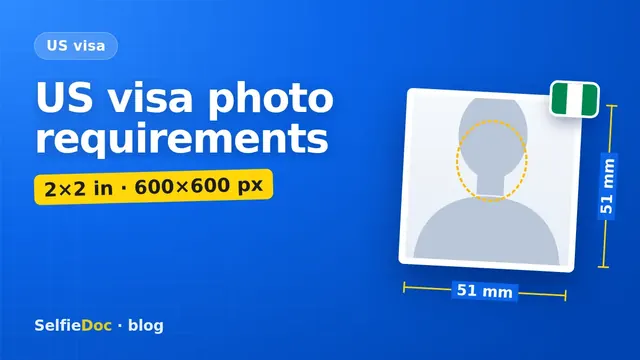
A US visa photo is a colour photo taken within the last 6 months, on a plain white or off-white background, facing the camera with a neutral expression, both eyes open and no glasses. For the DS-160 form you upload a square JPEG between 600×600 and 1200×1200 pixels, no larger than 240 kB, with your head taking up 50–69% of the image height. Printed photos are 2×2 inches (51×51 mm); immigrant visa applicants bring two identical prints to the interview. You can make the photo online from a good selfie in SelfieDoc: the service fits the size, background and head position to the requirements.
US visa photo requirements
| Parameter | Requirement | Source |
|---|---|---|
| Colour | colour only | travel.state.gov |
| Age of photo | taken within the last 6 months | travel.state.gov |
| Background | plain white or off-white | travel.state.gov |
| Pose | full face, directly facing the camera, neutral expression, both eyes open | travel.state.gov |
| Glasses | not allowed since 1 November 2016 (rare medical exceptions) | travel.state.gov |
| Head covering | only if worn daily for religious reasons; full face visible, no shadows | travel.state.gov |
| Headphones | not allowed; hearing devices you normally wear are fine | travel.state.gov |
| Print size | 2×2 inches (51×51 mm), photo-quality paper, matte or glossy | travel.state.gov |
| Head size (print) | 1 to 1⅜ inches (25–35 mm), chin to top of hair | travel.state.gov |
| Digital image | square, 600×600 to 1200×1200 px | travel.state.gov |
| Head size (digital) | 50–69% of the image height | travel.state.gov |
| File | JPEG, sRGB colour, up to 240 kB | travel.state.gov |
Checked: October 2026 against the State Department's photo requirements, digital image requirements and photo FAQ.
How big should your head be?
On a 2×2 inch print, measure from the bottom of the chin to the top of the hair: it must be between 1 inch and 1⅜ inches, or 25 to 35 mm. In a 600×600 image, 50–69% of the height means a head of about 300 to 414 pixels.
So the head sits roughly in the middle half of the square, with space above the hair and your shoulders visible at the bottom. A close crop where your hair touches the top edge is too big. A photo where you look like a small passport photo pasted in the middle of a white square is too small.
What the DS-160 digital photo must look like
The DS-160 asks you to upload the photo while you fill in the form. The file has to pass these checks:
- Square. Height equals width.
- Between 600×600 and 1200×1200 pixels.
- JPEG, in colour (24-bit, sRGB, the normal output of a phone or camera).
- 240 kB or less. You may need to compress the file; the compression ratio should be 20:1 or less.
If you scan a printed photo instead, it must be 2×2 inches and scanned at 300 pixels per inch.
The State Department has a free photo tool that crops an image to exactly 600×600 pixels. It only crops; it doesn't check whether your photo is acceptable. The final decision is made by a consular officer.
After you submit the DS-160, look at the confirmation page. If you see an "X" instead of your photo, the upload failed. Bring one printed photo meeting the requirements, together with the confirmation page, and check your embassy's instructions.
Applying from Nigeria: Lagos and Abuja
For a nonimmigrant visa (visitor, student, work), you upload the photo in the DS-160 as above. Read your embassy or consulate instructions before the interview, as some posts also ask for one printed photo.
Immigrant visas are processed at the US Consulate General in Lagos. The Lagos pre-interview checklist on travel.state.gov asks for two colour photographs of each person applying, 5×5 cm or 2×2 inches.
One embassy page and the Packet 4 instructions for Lagos print the size as "1.5 x 1.5 inches (5 cm x 5 cm)". Five centimetres is about 2 inches, not 1.5, and the State Department's own checklist says 2×2 inches. Go with 2×2 inches, the standard US visa size.
Applying from India: DS-160 and VAC
The US Mission in India also asks you to upload your photo while completing the DS-160, and to bring one printed photo if the upload fails. Applicants in India then attend a Visa Application Centre (VAC) appointment, where fingerprints and a photo are taken before the consular interview.
If your DS-160 shows a note that your photo will be taken at the application centre, follow that instruction. If it asks for an upload, use a file that meets the digital rules above.
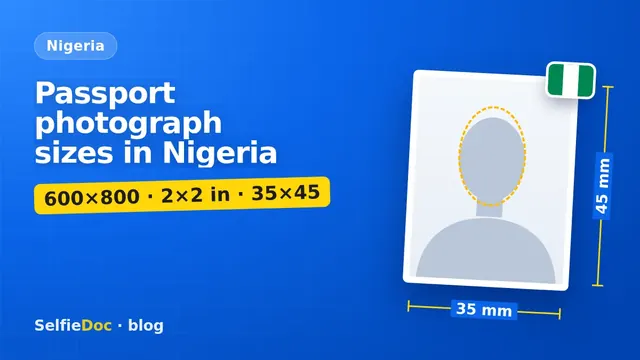
A 35×45 mm "passport size" print is the wrong shape for a US visa: the US photo is a square.
Do you need a new photo if you look different?
Yes, if your appearance has changed a lot, even within 6 months. The State Department lists major facial surgery or injury, adding or removing many or large facial piercings or tattoos, and significant weight loss or gain. Growing a beard or colouring your hair is generally not a significant change.
Common US visa photo mistakes
- Glasses on. Take them off, even if you wear them every day.
- 35×45 mm rectangle instead of a square. Cutting it down usually leaves the head too big.
- File over 240 kB, or a long rectangle straight from a phone camera.
- Grey, blue or cream background, or shadows behind the head.
- Photo copied from your passport or ID card. Scans of official documents are not accepted.
- Uniform or camouflage clothing. Wear what you normally wear day to day.
- Smiling widely or squinting. Keep a neutral face with both eyes open.
- Edited photos. The State Department says photos must not be digitally enhanced or altered to change your appearance in any way. You can't even remove red-eye with an editing tool; use your camera's red-eye setting instead.
How to get your US visa photo
At a studio. The State Department recommends a professional visa photo service. Ask for "US visa, 2×2 inches, white background", the prints and a soft copy for the DS-160.
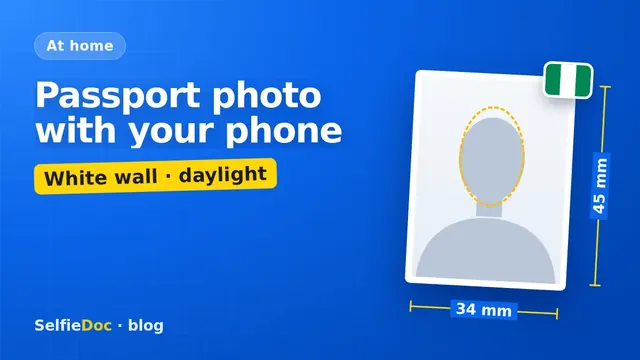
At home. The State Department warns that low-resolution phone photos are not acceptable and that many phones and webcams don't give enough quality. If you shoot at home, use the main camera at full resolution, daylight from a window and a plain white wall. Our guide on taking a passport photograph with your phone goes through each step.
Online from a selfie. SelfieDoc crops the photo to the square US format, sets the head size and checks the background before you get the file. Your facial features stay as they are. Check that the final JPEG is under 240 kB before you upload it.
For other documents in Nigeria, see the passport photograph size guide for Nigeria.
Sources
- US Department of State: visa photo requirements.
- US Department of State: digital image requirements.
- US Department of State: photo frequently asked questions.
- US Department of State: Consulate General Lagos, immigrant visa instructions.
- US Embassy and Consulate in Nigeria: immigrant visas processing in Lagos.
- US Embassy and Consulates in India: nonimmigrant visas.
FAQ
What is the US visa photo size?
Printed photos are 2×2 inches (51×51 mm). The digital image for the DS-160 must be square, between 600×600 and 1200×1200 pixels, in JPEG, no larger than 240 kB.
How big should my head be in a US visa photo?
Between 1 and 1⅜ inches (25–35 mm) from chin to top of the hair on a printed photo. In the digital image, the head should take up 50–69% of the image height.
Can I wear glasses in a US visa photo?
No. Since 1 November 2016 eyeglasses are not allowed in new visa photos, except rare medical cases backed by a signed medical statement.
Do I need printed photos for my US visa interview?
For a nonimmigrant visa you upload the photo in the DS-160; some embassies also ask for one printed photo, and you need one if the upload failed. Immigrant visa applicants bring two identical 2×2 inch photos, and the Lagos consulate asks for two per applicant.
Can I make a US visa photo online?
Yes. SelfieDoc crops a clear selfie to the square US visa format and checks the head size and background without changing your face. Start with a sharp daylight photo against a white wall.
Comments
Only registered users can comment
Sign in to commentSign in with the same account you use for SelfieDoc.
No comments yet. Be the first to ask a question, and we’ll answer.