



How Much Are Passport Photos? Store Prices and Cheaper Options
What Walgreens, the post office and other places charge for a US passport photo. Why the photo is never part of the passport fees, and how to avoid paying for a second one.
Contents
A passport photo costs $16.99 at Walgreens and $15 at post offices that accept passport applications, according to Walgreens (checked October 25, 2026) and USPS. The Walgreens price covers two 2×2 in prints plus a free digital copy by email. We couldn't verify the current CVS price, so check its passport photo page before you go. The photo is always paid separately from the $35 acceptance fee and the State Department fee. You can also make the photo online from a good selfie in SelfieDoc.
Passport photo cost by store
Prices depend on who takes the photo. The State Department doesn't set them. Here is what we could confirm on the day of writing.
| Where | Price | What you get | Source |
|---|---|---|---|
| Walgreens | $16.99 | Two 2×2 in prints and a free digital copy by email. Taken in store only, at most locations, no appointment. Prints are usually ready in a few minutes. | Walgreens Passport Photos |
| Post office (USPS) | $15 | Photo taken at post offices that accept passport applications, if you need one. | USPS passport services |
| CVS | Set by each store | Check the CVS passport photo page or call your store for the current price. | CVS Passport Photos |
| Other pharmacies, shipping stores, photo studios | Set by each business | USPS notes that prices at other places may differ. | USPS passport services |
| Your own photo | Printing cost only | You take the photo and print it. It must meet the same rules. | Travel.State.Gov: Passport Photos |
Walgreens details checked on photo.walgreens.com on October 25, 2026. We couldn't open the USPS page directly, so confirm the $15 photo fee with your post office. Prices can change and may differ by location, so confirm with the store before you go.
How much is a passport photo at Walgreens?
Walgreens charges $16.99. For that you get two 2×2 in prints and a free emailed digital copy. You can't order a Walgreens passport photo online. The service is in store only, and not every location has it.
What does CVS charge for passport photos?
We couldn't load the CVS price page on October 25, 2026, so we're not quoting a number. Before you go, check the CVS passport photo page or call the store. Ask three things: the price, how many prints you get, and whether a digital copy is included.
Post office passport photo price
USPS lists a $15 photo fee at post offices that accept passport applications. It's handy if you're applying there anyway. Not every post office offers photos, so check your location on usps.com.
Is the photo included in the passport fees?
No. A passport application in person has up to three separate costs:
- The application fee, paid to the US Department of State. Current amounts are on the passport fees page.
- The acceptance fee of $35, paid to the acceptance facility when you apply in person with form DS-11.
- The photo, paid to whoever takes it, unless you already have a photo that meets the rules.
The State Department fee charts don't list any photo charge. If you renew by mail with form DS-82, there's no $35 acceptance fee, but you still need a photo.
What the photo must meet before you pay
A cheap photo isn't cheap if you have to pay for a second one. The rules are the same wherever the photo is taken.
| Parameter | Requirement | Source |
|---|---|---|
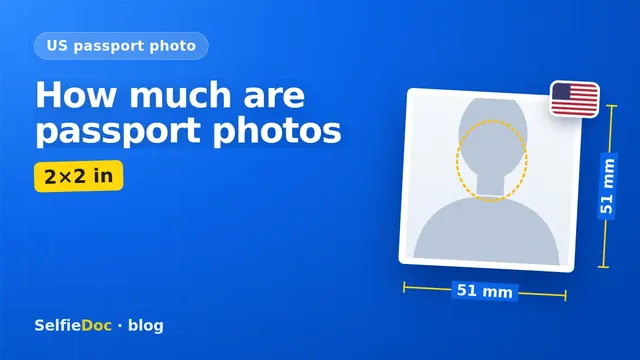
| Size | 2 × 2 in (51 × 51 mm) | Travel.State.Gov: Passport Photos |
| Head size | 1 to 1 3/8 in (25–35 mm), chin to top of head | Travel.State.Gov: Passport Photos |
| How many | 1 color photo | Travel.State.Gov: Passport Photos |
| How recent | Taken in the last 6 months | Travel.State.Gov: Passport Photos |
| Background | Plain white or off-white, no shadows, texture or objects | Travel.State.Gov: Passport Photos |
| Glasses | Remove all glasses, including sunglasses and tinted lenses. If you can't remove them for medical reasons, you need a signed note from your doctor. | Travel.State.Gov: Passport Photos |
| Filters and edits | No filters or retouching. Edits in photo software, including to the outline of the head, face or neck, make the photo unacceptable. | Travel.State.Gov: Passport Photos |
| Online renewal file | JPG, JPEG, PNG, HEIC or HEIF, 54 KB to 10 MB | Travel.State.Gov: Uploading a Digital Photo |
Requirements are based on summaries of the travel.state.gov pages (Passport Photos; Uploading a Digital Photo). Confirm the wording on these pages before you apply.
You may see a 240 KB limit or 600 × 600 px quoted online. Those numbers come from the DV Lottery photo rules. For a passport, rely on the 2 × 2 in size and, for online renewal, the file limits above. Visa photos have their own upload process too. If someone in your family needs one, see our US visa photo guide for DS-160.
Cheap passport photos: how to pay less
The lowest cost comes from buying only what you need and getting it right the first time.
- Count your photos. The State Department asks for one photo. Walgreens includes two prints, so you have a spare for a later form.
- Use the digital copy. Walgreens emails a free digital copy with every purchase. If you're renewing online, check that the file type and size fit the upload rules before you use it.
- Take it yourself. You pay for printing only. You also handle the background, lighting and head size yourself.
- Don't buy extra edits. Filters and retouching aren't allowed, so paying for "enhanced" versions doesn't help.
Store, post office, home or online: which to choose
Each option trades money for convenience.
Pharmacy or store. You walk in without an appointment and leave with prints a few minutes later. This works well if you're short on time.
Post office. It makes sense when you're applying in person there anyway. You pay for the photo and the application on the same visit.
At home with a phone. Stand in front of a plain white or off-white wall with no shadows or objects behind you. Ask someone to take the photo. Turn off beauty mode and filters. Our guide on taking a passport photograph with your phone walks through the setup step by step.
Online from a selfie. SelfieDoc turns your selfie into a 2×2 in photo file that matches the passport template. Check the result against the State Department rules before you use it. You get a photo file and a print layout for a paper application. For online renewal, check the file type and size against the upload rules. Printing is up to you, at a photo kiosk or on a home printer. Check the service page for current terms.
Common mistakes that cost you a second photo
These State Department rules are easy to miss and can mean paying for another photo:
- Glasses left on. All glasses must come off unless you have a signed doctor's note.
- Shadows on the background. The background should be plain white or off-white with nothing behind you.
- Head too small or too large. Chin to top of head should be 1 to 1 3/8 in.
- Filters or beauty mode. Turn off beauty mode and filters before you shoot.
- An old photo. It must be taken in the last 6 months, even if you still look the same.
- The wrong file for online renewal. Upload JPG, JPEG, PNG, HEIC or HEIF, between 54 KB and 10 MB.
Sources
- Passport Photos — Travel.State.Gov
- Uploading a Digital Photo — Travel.State.Gov
- Passport Fees — Travel.State.Gov
- Passport Fees Chart, October 2026 (PDF) — Travel.State.Gov
- Renew Your Passport by Mail — Travel.State.Gov
- Passport Appointments, Renewals and Photo Services — USPS
- Passport Photos — Walgreens
- Passport Photos — CVS
FAQ
How much is a passport photo at Walgreens?
On October 25, 2026, the Walgreens site listed passport photos at $16.99. That price covers two 2×2 in prints and a free digital copy sent by email. Walgreens takes passport photos in store only, at most locations, with no appointment, and the prints are usually ready a few minutes after the photo is taken.
How much are passport photos at CVS?
We couldn't verify the current CVS price on October 25, 2026. Check the CVS passport photo page or call your local store before you go. Ask how many prints are included and whether you also get a digital copy.
Is the passport photo included in the $35 acceptance fee?
No. The photo is paid for separately. The State Department fee charts don't list a photo charge, and the acceptance fee and the application fee are two separate payments. If you need a photo at a post office that accepts applications, USPS charges $15 for it on top of the $35 acceptance fee.
What is the cheapest way to get a passport photo?
There's no official cheapest price, because each business sets its own. You pay less if you only buy what you need: the State Department asks for one color photo taken in the last 6 months. Taking the photo yourself and printing it means paying for printing only, as long as the photo meets every rule.
Can I take a US passport photo online?
You can prepare the photo online from a good selfie. SelfieDoc turns your selfie into a 2×2 in photo file that matches the passport template. You get a photo file and a print layout. For a paper application you print it yourself. For online renewal you upload a JPG, JPEG, PNG, HEIC or HEIF file between 54 KB and 10 MB. Check the photo against the rules on travel.state.gov before you submit it.
Do I need a new photo to renew my passport by mail?
Yes. A photo is required when you renew by mail with form DS-82, too. You don't pay the $35 acceptance fee in that case, but the cost of the photo is still yours.
Comments
Only registered users can comment
Sign in to commentSign in with the same account you use for SelfieDoc.
No comments yet. Be the first to ask a question, and we’ll answer.