



Dimensions of a passport photo: inches, mm and pixels
The exact size of a US passport photo on paper and as a file, where the head must sit, and how the photo size differs from the passport itself.
Contents
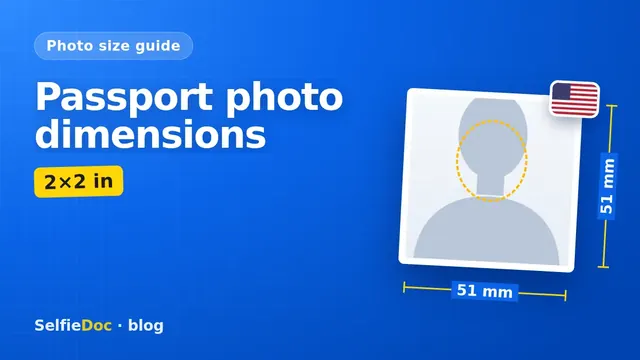
A US passport photo is 2 × 2 inches (51 × 51 mm). The head, measured from the chin to the top of the head, must be between 1 and 1 3/8 inches (25–35 mm). Use one recent color photo on a plain white or off-white background, and attach it to your application or upload it for online renewal. You can make this photo online from a good-quality selfie in SelfieDoc.
US passport photo dimensions at a glance
All official numbers come from the State Department, and most of them are on its passport photo page. The pixel figures come from the State Department photo composition template, which is published for visa and digital photos. Read that row with this in mind.
| Parameter | Requirement | Source |
|---|---|---|
| Printed size | 2 × 2 in (51 × 51 mm), square | travel.state.gov, Passport Photos |
| Head height | 1 to 1 3/8 in (25–35 mm), chin to top of head | travel.state.gov, Passport Photos |
| Background | Plain white or off-white, no shadows, texture or objects | travel.state.gov, Passport Photos |
| How many photos | 1 color photo | travel.state.gov, Passport Photos |
| How recent | Taken within the last 6 months | travel.state.gov, Passport Photos |
| Glasses | Remove all glasses, including sunglasses and tinted lenses. If you can't for medical reasons, include a signed note from a doctor | travel.state.gov, Passport Photos |
| Filters and retouching | Not allowed. Editing the outline of the head, face or neck makes the photo unacceptable | travel.state.gov, Passport Photos |
| Digital image, pixels | Square, minimum 600 × 600 px, maximum 1200 × 1200 px | travel.state.gov, Photo Composition Template |
| Digital image, head | Top of head (with hair) to chin: 50–69% of image height | travel.state.gov, Photo Composition Template |
| Digital image, eyes | Eye line 56–69% of image height, measured from the bottom | travel.state.gov, Photo Composition Template |
| Online renewal upload | JPG, JPEG, PNG, HEIC or HEIF, 54 KB to 10 MB. Not grainy or pixelated, no visible printer dots | travel.state.gov, Uploading a Digital Photo |
Figures reflect State Department guidance as of October 25, 2026. Confirm them on travel.state.gov before you print or upload.
Which US documents use the 2×2 format
The 2×2 inch square is the standard for the US passport. Other US documents use either the same print size or a digital version of it. They still have their own rules.
| Document | Uses 2×2 in? | What to know |
|---|---|---|
| US passport, paper application | Yes, printed 2 × 2 in | 1 color photo, head 1–1 3/8 in |
| US passport, online renewal | Digital file | JPG/JPEG/PNG/HEIC/HEIF, 54 KB–10 MB. The upload page does not list pixel limits, so check it before you upload |
| US visa (DS-160) | Digital square | Composition template: 600 × 600 to 1200 × 1200 px. Details in our US visa photo guide |
| Diversity Visa (DV) | Digital, or a scanned 2 × 2 in print | A scanned photo must be 2 × 2 in, scanned at 300 ppi |
| Green card and other USCIS forms | Check | Check the current rules on uscis.gov |
Passport photo size in inches, mm and pixels
The official unit is the inch. The State Department gives the printed photo as 2 × 2 inches and lists 51 × 51 mm next to it. Exactly 2 inches equals 50.8 mm, so 51 mm is a rounded figure.
There is no official pixel size for the printed passport photo. For a digital file, the State Department composition template gives a range. At 300 dpi, a 2-inch side works out to 600 pixels (2 × 300), which matches the minimum on the template.
You can also convert the head rules into pixels. On a 600 × 600 px image, the 50–69% head range is roughly 300 to 414 px. The eye line sits about 336 to 414 px up from the bottom edge. These are our calculations, not official numbers.
Passport photo dimensions vs passport dimensions
The photo and the passport are different sizes. People mix them up because searches like "dimensions of a passport" and "passport size dimensions in inches" can mean either one.
| Item | Size | Standard |
|---|---|---|
| Passport photo | 2 × 2 in (51 × 51 mm) | State Department |
| Passport book | 125 × 88 mm (about 4.92 × 3.46 in, or 4 15/16 × 3 7/16 in) | ICAO TD3 |
| Passport card | 85.6 × 53.98 mm (3.370 × 2.125 in) | ICAO TD1 |
The book and card sizes come from ICAO documents, not from a State Department page. ICAO rounds the card format to 85.6 × 54 mm. The book's 88 mm side can be slightly larger because of the binding.
The US square is also unusual by international standards. Other countries set their own photo sizes, so a US 2×2 print may not fit another country's rules. Check the official guidance of the country you are applying to.
Common sizing mistakes
Most problems with passport photo dimensions come from mixing up rules from different programs. Check these before you print or upload.
- Treating 600 × 600 px as the only correct size. On the composition template it is the minimum. The maximum is 1200 × 1200 px. The fixed 600 × 600 size is linked to the Diversity Visa.
- Using the 240 KB limit. That limit belongs to the Diversity Visa. For online passport renewal, the file must be between 54 KB and 10 MB.
- Head too small or too large. On a 2 × 2 print, measure from the chin to the top of the head. It must be between 1 and 1 3/8 inches.
- A low-quality file. For online renewal, the photo must not be grainy or pixelated and must not show printer dots. Scanning a cheap print often causes this.
- An old photo. The photo must be taken within the last 6 months.
- Filters or retouching. Beauty filters and edits to the outline of the face, head or neck are not allowed.
- Glasses on. Remove them unless you have a signed doctor's note.
How to take and print a photo that fits
You have three practical options: take it at home, go to a photo counter or studio, or prepare it online from a selfie.
At home
- Stand in front of a plain white or off-white wall with even light, so no shadows fall behind you.
- Ask someone to take the shot, or use a phone stand and timer.
- Face the camera straight on with your glasses off.
- Crop to a square so the head fills 50–69% of the height.
- Print at the true 2 × 2 inch size and check it with a ruler.
For phone framing and lighting, see how to take a passport photograph with your phone.
At a photo counter or studio
Many pharmacies and photo shops print passport photos. Ask them to measure the head height on the finished print before you pay. Prices vary by store, so check the store's website.
Online from a selfie
SelfieDoc takes your selfie, crops it to 2 × 2 inches and evens out the background. Your facial features stay unchanged. You get a digital file and a print layout. When you print the layout, set the printer to 100% scale or "actual size", so the 2 × 2 inch square isn't resized. Then check one square with a ruler.
Sources
- Passport Photos — U.S. Department of State, travel.state.gov
- U.S. Passport Photos — travel.state.gov
- Uploading a Digital Photo (online renewal) — travel.state.gov
- Photo Composition Template — travel.state.gov
- Visa Photo Requirements — travel.state.gov
- ICAO TAG/MRTD-20 Working Paper 20 (TD3 format)
- ICAO TAG/TRIP5 Information Paper 3 (TD1 passport card)
FAQ
What are passport size dimensions in inches?
A US passport photo is 2 × 2 inches, which the State Department also gives as 51 × 51 mm. The head, measured from the chin to the top of the head, should be between 1 and 1 3/8 inches.
What are the passport image dimensions in pixels?
The State Department photo composition template describes a square digital image of at least 600 × 600 pixels and at most 1200 × 1200 pixels. That template is published for visa and digital photos. The online passport renewal page lists file formats and a 54 KB to 10 MB file size, so check travel.state.gov before you upload.
Does a passport photo have to be exactly 600 × 600 pixels?
No. On the composition template, 600 × 600 pixels is the minimum and 1200 × 1200 pixels is the maximum. A fixed 600 × 600 pixel size is associated with the Diversity Visa program, not with the passport.
What are the dimensions of a US passport book?
Passport books follow the ICAO TD3 format of 125 × 88 mm, about 4.92 × 3.46 inches. This figure comes from ICAO documents, not from a State Department page. The passport card follows the smaller TD1 format of 85.6 × 53.98 mm, or 3.370 × 2.125 inches.
Can I take a passport photo online?
You can prepare the photo online from a selfie. In SelfieDoc you upload a selfie, and the service crops it to 2 × 2 inches and evens out the background without changing your facial features. You get a digital file and a print layout. The final decision on the photo is made by the State Department when it reviews your application.
Comments
Only registered users can comment
Sign in to commentSign in with the same account you use for SelfieDoc.
No comments yet. Be the first to ask a question, and we’ll answer.