



Emirates ID Photo Size and Requirements 2026
The size, background and face rules that ICP lists for an Emirates ID photo, plus the details its FAQ leaves open, so you know what to check before you apply.
Contents
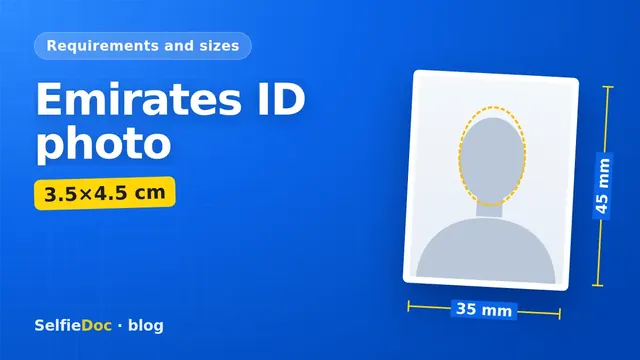
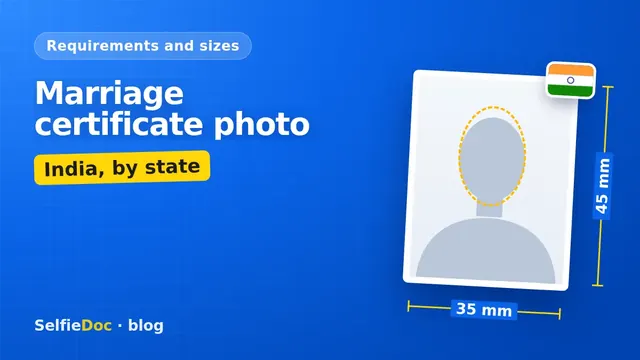
According to the ICP FAQ, the Emirates ID photo size is 3.5×4.5 cm (35×45 mm) on a white background, and the photo must fully meet ICAO standards. Your face must be straight, clear and neutral. The photo must also be recent and different from the one printed on your current card. ICP has not confirmed whether it accepts photos you make yourself, so check your application route first. If it does, you can prepare a photo like this online from a good-quality selfie in SelfieDoc.
Emirates ID photo requirements at a glance
The ICP FAQ covers size, background, the ICAO standard, the face, glasses, hats and recency. The table marks anything it leaves out, so you know what to confirm.
| Parameter | Requirement | Source |
|---|---|---|
| Size | 3.5×4.5 cm (35×45 mm) | ICP FAQ |
| Background | White | ICP FAQ |
| Standard | Full ICAO compliance | ICP FAQ |
| Face and quality | Clear facial features and eyes, with no distortion such as shadows or glare. Face straight, neutral expression | ICP FAQ |
| Glasses | No sunglasses. Medical glasses allowed if they do not cover the eyes | ICP FAQ |
| Hats | Not allowed | ICP FAQ |
| Recency | Recent, and not the same photo as on your current card | ICP FAQ |
| Pixels, file size, head height | Not published by ICP. Follow the upload screen or check with ICP | ICP FAQ |
Checked: November 2026 against the ICP FAQ (icp.gov.ae).
ICP does not publish pixel dimensions, which matters if you need a digital file. At a standard print resolution of 300 dpi, 35×45 mm works out to about 413×531 pixels. That is a simple conversion, not an ICP rule. Third-party sites quote various pixel and KB limits for Emirates ID photos. ICP does not confirm them, so follow the upload form in front of you rather than any website.
Where to submit your Emirates ID picture
You submit the photo through the ICP channel you use for your application or renewal. The ICP FAQ does not say whether you upload a digital file or hand in a printed photo. It also does not say whether staff take your photo during a visit, or whether you can bring your own.
Before you print or upload anything, check the current process for your case on the ICP website. The process can differ for a new card, a renewal and a replacement. If you are allowed to supply your own photo, the size and rules in the table above still apply.
Many residents apply for a residence visa at the same time. Our guide to the UAE visa photo size covers the visa photo rules.
Common reasons an Emirates ID photo gets sent back
Each problem below breaks a rule from the ICP FAQ.
- Reusing the old card photo. ICP says the new photo must differ from the one printed on your current Emirates ID. This catches many people at renewal.
- An old photo. The photo must be recent. ICP does not give an exact number of months, so take a fresh photo.
- A background that is not white. Grey walls, cream curtains and patterned rooms do not count as white.
- Shadows and glare. Shadows on the face or behind the head count as distortion. So does shine on the skin or on lenses.
- Head tilted or turned. The face must be straight to the camera.
- A smile or raised eyebrows. ICP asks for a neutral expression.
- Sunglasses or a hat. ICP does not allow either.
- Wrong size. A photo cropped to a different format will not be 3.5×4.5 cm.
Before you submit, check three things:
- The background is white.
- Both eyes are clearly visible.
- The photo is new, not the one on your card.
Exceptions: glasses, head coverings and children
Glasses
Medical glasses are allowed if they do not cover your eyes. Sunglasses are not. Glasses often cause glare or put a heavy frame across the eyes. If that happens, take them off for the photo. For general advice on frames and reflections, see can you wear glasses in a passport photo. That guide covers US rules, so use it for photo technique only.
Head coverings
ICP does not allow hats. The FAQ page does not mention religious head coverings such as the hijab or the ghutra. It also does not say whether the photo must show the full face or the hairline. Confirm with ICP before your photo is taken.
Children
The ICP FAQ page does not publish separate photo rules for babies and children. Check the current requirements with ICP when you apply for a child.
How to take an Emirates ID photo
You can take the photo at home, have it made at a studio, or prepare it online from a selfie. The same ICP rules apply to all three.
At home with a phone
The steps below are general camera advice, not ICP rules.
- Stand facing away from a plain white wall, about half a metre in front of it, so your shadow does not fall on it.
- Face a window for soft, even daylight. Avoid overhead lights, which throw shadows under the eyes.
- Ask someone to hold the phone at your eye level from a short distance. A selfie at arm's length tends to distort the face.
- Look straight at the lens. Keep your mouth closed and your face neutral.
- Remove sunglasses and hats. Push your hair back from your eyes.
- Crop the result to 3.5×4.5 cm with your head centred.
Our guide on how to take a passport photograph with your phone has more tips on lighting and framing. For the wider question of making the photo yourself, see can I take my own passport photo. That article covers US rules, but the camera advice applies here too.
At a photo studio
Many UAE photo studios can print 3.5×4.5 cm photos. ICP does not say whether it accepts a photo you bring yourself, so confirm that first. At the studio, say the photo is for an Emirates ID and ask for a white background. Remind them it must be different from your current card photo. Prices vary between studios.
Online from a selfie
If you already have a good selfie, SelfieDoc crops it to 3.5×4.5 cm and evens out the white background. It also positions your head in the frame and leaves your facial features unchanged. You still need a sharp, evenly lit original with your eyes open and a neutral expression.
Sources
FAQ
What is the Emirates ID photo size?
The ICP FAQ gives 3.5×4.5 cm (35×45 mm) for the personal photo. The background must be white, and the photo must fully meet ICAO standards.
Can I use the same photo that is on my current Emirates ID?
No. ICP says the photo must be recent and must not be the same photo that is printed on your current card. Take a new one for renewal.
Can I wear glasses in my Emirates ID picture?
Medical glasses are allowed if they do not cover your eyes. Sunglasses are not allowed. Remove your glasses if the frame or glare hides your eyes.
Can I wear a hat or head covering?
Hats are not allowed. The ICP FAQ does not give rules for religious head coverings, so check with ICP before you apply.
What pixel size and file size does ICP require for uploads?
The ICP FAQ does not publish pixel dimensions or a file size limit. Third-party sites quote figures that ICP does not confirm. Follow the limits shown on the upload screen of the channel you use.
Can I take an Emirates ID photo online?
You can prepare a photo online from a good selfie. SelfieDoc crops it to 3.5×4.5 cm and evens out the white background without changing your facial features. The ICP FAQ does not say whether your application route accepts a photo you bring yourself, so confirm this with ICP first.
Comments
Only registered users can comment
Sign in to commentSign in with the same account you use for SelfieDoc.
No comments yet. Be the first to ask a question, and we’ll answer.