



OCI Photo Requirements
What the OCI Services portal asks for in the photo and signature files, how it differs from a US passport photo, and how to check your file before you upload it.
Contents
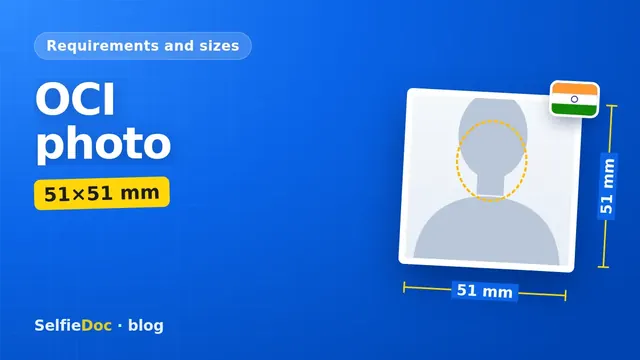
The OCI photo is a square photo. Its print size is at least 51×51 mm, and your face fills about 80% of the frame. You upload it as a JPEG file of 200×200 to 900×900 pixels and up to 200 KB. The background should be plain and light, but not white. You upload the photo on the OCI Services portal (ociservices.gov.in), which is run by the Government of India. You can make this photo online from a good selfie in SelfieDoc.
These are rules of the Government of India for the Overseas Citizen of India card. They are not US rules. If you live in the US, keep in mind that your American passport photo habits, especially the white background, don't carry over. For comparison, see the US passport photo requirements.
OCI photo specification at a glance
| Parameter | Requirement | Source |
|---|---|---|
| Shape and size | Square, at least 51×51 mm | OCI Services FAQ |
| Face in frame | Face takes about 80% of the photo | OCI Services FAQ |
| Pixels | Minimum 200×200, maximum 900×900; height equals width | OCI Services FAQ |
| File format | JPEG/JPG only | OCI Services FAQ |
| File size | Up to 200 KB | OCI Services FAQ |
| Background | Plain, light-coloured, not white, no border | OCI Services FAQ |
| Pose | Full face, front view, head and shoulders, face centred | OCI Services FAQ |
| Signature file | JPEG/JPG, up to 200 KB | OCI Services FAQ |
Checked: November 2026 against the OCI Services portal FAQ.
Where you apply from: OCI portal or consulate
You start every OCI application on the OCI Services portal, and the photo is uploaded there as a digital file. The pixel range, the 200 KB limit and the JPEG format all come from the portal, so they apply wherever you live.
What happens after the online form depends on the Indian mission that covers your state. Missions in the US publish their own OCI instructions, for example the Embassy of India in Washington and the Consulate General of India in San Francisco. We could not fully read these pages when we checked. They may describe the background or paper photos differently from the portal.
Before you submit, open the instructions for your mission and compare them with the portal FAQ. If they disagree, ask the mission which version applies to you. Whether you also need printed photos, and how many, is not stated in the sources we checked. Confirm it on your consulate's website.
OCI photo size and pixels
The OCI photo size is a square of at least 51×51 mm, which is the familiar 2×2 inch format. On screen, the file has to be between 200×200 and 900×900 pixels, with exactly equal width and height.
The portal accepts any square file from 200×200 to 900×900 pixels, so a file of around 600×600 pixels is a practical target. Check that the saved JPEG is 200 KB or smaller.
A rectangular photo, such as 35×45 mm, does not fit. The portal asks for equal sides. Cropping a rectangle can cut off your chin or the top of your head, so crop with the face in mind, not just the edges.
Background: light, but not white
The OCI portal FAQ asks for a plain, light-coloured background that is not white. This is where many US applicants slip. A US passport photo background is white or off-white, and drugstore photo counters set up for that by default.
A very light grey, cream or pale blue wall works well. Avoid patterns, shadows behind your head, door frames and any border around the photo. If your consulate's page asks for a different background, follow it and check with the mission first.
Head, pose and expression
Your face should be centred, looking straight at the camera, with head and shoulders visible. The face takes up about 80% of the frame, so the photo is tighter than a typical selfie.
The portal FAQ we read does not set rules for glasses, head coverings or expression. For glasses and headwear, check the latest instructions on the OCI portal or your consulate's page before the photo session.
The signature file
The OCI application also asks for a scanned signature. It follows the same file limits as the photo: JPEG or JPG, up to 200 KB. The exact proportions and pixel size of the signature are not given in the source we checked. Use the guidance shown on the upload screen of the portal.
Why OCI photos get rejected
The OCI portal states that photos that don't meet the standard are rejected, and that this can delay processing. Common mistakes with OCI application photos:
- White background. A photo made for a US passport or green card is reused as-is.
- Not square. A 35×45 mm or phone-ratio photo is uploaded without cropping.
- Wrong file size. The file is over 200 KB or outside 200×200 to 900×900 pixels.
- Face too small. A full-length or waist-up shot where the face takes far less than 80% of the frame.
- Border or frame. A printed photo is scanned with a white margin around it.
- PNG or HEIC file. iPhones save HEIC by default. The portal accepts only JPEG/JPG.
- Shadows and tilt. A shadow on the wall behind your head, or a head turned to one side.
What the sources don't settle
Some points are not covered by the official pages we were able to read. Treat them as "check before you apply":
- photos of children and babies;
- how recent the photo must be;
- glasses and head coverings;
- head height in millimetres;
- paper photo requirements, if your mission asks for prints;
- whether the photo must be taken at a particular studio.
The Embassy of India in The Hague lists a 2×2 inch (51×51 mm) colour photo, taken full frontal, for its passport and consular services. That is the same square size as the OCI photo. The OCI portal adds its own rules on top: the pixel range, the 200 KB limit, JPEG only and a background that is not white. If you are also applying for an Indian passport, check the rules for your route in our guide to the Indian passport photo size.
How to take an OCI photo
You have three practical options. Whatever you choose, check the final file against the table above.
At home with a phone. Stand about arm's length from a plain, light wall that is not white. Face a window so light falls evenly on your face. Ask someone else to take the picture at eye level. Our guide on whether you can take your own passport photo covers lighting and framing in more detail. Then crop to a square, resize to around 600×600 pixels and save as JPEG at 200 KB or less.
At a photo studio or pharmacy. Tell them it is for OCI and that you need a square photo on a light background that is not white. Many counters are set up for white backgrounds by default. Ask for the digital file too, since you need it for the upload. Prices vary between studios.
Online from a selfie. SelfieDoc crops your selfie to a square, evens out the background and sizes the file for the portal. Your facial features stay unchanged. The service is for adults 18+.
Pre-upload checklist
- The file is JPEG or JPG.
- The image is square, between 200×200 and 900×900 pixels.
- The file is 200 KB or smaller.
- The background is plain, light and not white, with no border.
- Your face is centred, looking straight ahead, and fills about 80% of the frame.
- The signature file is JPEG or JPG, up to 200 KB.
- You have compared the portal rules with your consulate's OCI instructions.
Sources
FAQ
What is the OCI photo size?
The OCI Services portal asks for a square photo at least 51×51 mm. The digital file must be between 200×200 and 900×900 pixels, with equal height and width. Your face should fill about 80% of the frame.
Can the OCI photo have a white background?
The OCI portal FAQ asks for a plain, light-coloured background that is not white, with no border. This differs from US passport photos, which use a white background. If your consulate's instructions say something different, follow the page that covers your application and check with the mission.
What file format and size does the OCI application photo need?
JPEG or JPG only, up to 200 KB. The signature file has the same limits: JPEG or JPG, up to 200 KB.
Can I use my US passport photo for OCI?
Usually not as-is. A US passport photo uses a white background, while the OCI portal asks for a light background that is not white. The OCI file also has to be square and between 200×200 and 900×900 pixels.
Can I take an OCI photo online?
Yes, you can prepare the file online. SelfieDoc turns a good selfie into a square photo, evens out the background and sizes the file for the portal without changing your facial features. Check the result against the current OCI portal instructions before you upload it. The service is for adults 18+.
Comments
Only registered users can comment
Sign in to commentSign in with the same account you use for SelfieDoc.
No comments yet. Be the first to ask a question, and we’ll answer.