



India e-Visa Photo Requirements
This guide covers the exact size, background and file limits for an Indian e-Visa photo. It also explains how the online portal differs from a consulate application and which mistakes to avoid before you upload.
Contents
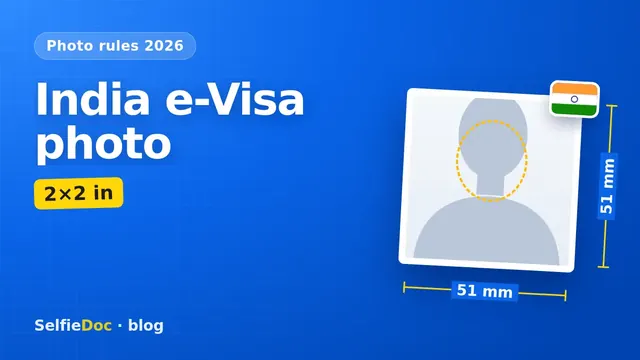
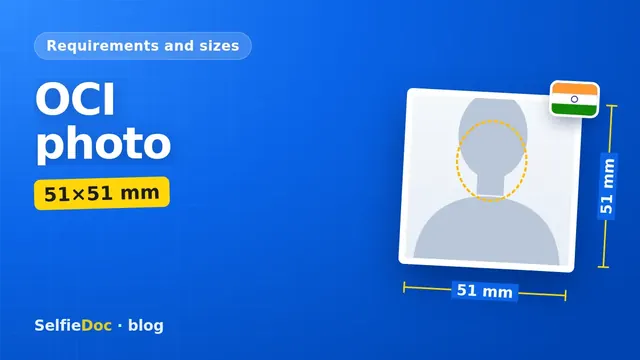
For an India e-Visa you need one digital photo. It must be a square of 2×2 inches (50.8×50.8 mm) on a plain light or white background, saved as a JPEG between 10 KB and 1 MB. You upload it with your application on the official portal, indianvisaonline.gov.in, and no printed copy is needed. You can make this photo online from a good-quality selfie in SelfieDoc.
India e-Visa photo requirements at a glance
The portal sets a short list of rules: a square photo, a light background, a JPEG within the size limits, a clear frontal face and no glasses. Here is the full list from the official page.
| Parameter | Requirement | Source |
|---|---|---|
| Size | 50.8×50.8 mm (2×2 in), square: height equals width | indianvisaonline.gov.in |
| Pixels | No pixel size listed. At 300 dpi, 2×2 in equals 600×600 px (calculation, not a portal rule) | indianvisaonline.gov.in |
| File format | JPEG | indianvisaonline.gov.in |
| File size | 10 KB minimum, 1 MB (1,024 KB) maximum | indianvisaonline.gov.in |
| Background | Plain, light or white, no shadows | indianvisaonline.gov.in |
| Head and face | Frontal view, head centered, full face from top of hair to chin, eyes open | indianvisaonline.gov.in |
| Glasses | Not allowed | indianvisaonline.gov.in |
| Shadows on face | Not allowed | indianvisaonline.gov.in |
| Borders | No frame or border around the photo | indianvisaonline.gov.in |
| How recent | A "recent photograph"; no exact time limit given | indianvisaonline.gov.in |
| Number of photos | 1 digital file, uploaded with the online form | indianvisaonline.gov.in |
Checked: October 2026 against indianvisaonline.gov.in (e-Visa portal).
The portal does not set a head height or a share of the frame for the face. Check the official page before you upload in case the rules have changed.
Where you apply from: online portal vs consulate
The e-Visa is applied for online only, so the photo is a digital upload. You do not mail or hand in a print.
This is the main difference from a regular Indian visa. A regular visa is applied for through an Indian embassy or consulate, and its photo format is set by that mission. If you are applying for a regular visa, check the photo spec on the mission's website rather than relying on the e-Visa list above.
The e-Visa needs no printed photo. Print rules apply only to regular visas applied for through a mission.
A few practical points for applicants in the US:
- Fill in the form only on the official portal, indianvisaonline.gov.in.
- Have your photo ready as a square JPEG of the right file size before you start the form.
- Look up the current visa fee on the official portal. It depends on the visa type and your nationality.
Photo size for Indian visa: inches, mm and pixels
The e-Visa photo is 2×2 inches, which equals 50.8×50.8 mm. That is the same outer size as a US passport photo, so a 2×2 photo you already have may fit the frame. It still has to meet the India-specific rules, such as no glasses and a light background. For the US side of that comparison, see dimensions of a passport photo.
The portal sets the shape and file weight, not a fixed pixel count. What matters:
- The image must be a true square. A 4:3 or 16:9 phone photo has to be cropped first.
- The JPEG must weigh between 10 KB and 1 MB. A file straight from a modern phone can be heavier than 1 MB, so check it and resize or compress if needed.
- Do not shrink the image so far that the face becomes blurry. Keep it sharp while staying inside the size limit.
Don't confuse this with the Indian passport photo size. That photo is 4.5×3.5 cm and is a different document with its own rules.
Why Indian visa photos get flagged
Most problems come from the file itself or from a few small details in the frame. Check these before you upload:
- Wrong shape. The portal asks for a square photo. Crop it to a square yourself so you control what stays in frame.
- File too large or too small. Over 1 MB is outside the limit. Under 10 KB will not upload either, so use a sharper, less compressed file.
- Glasses on. The official page says glasses are not allowed. Take them off. Our guide on glasses in passport photos covers the US rule.
- Colored background. Blue or gray walls are not listed as acceptable. Use a plain light or white background.
- Shadows. A shadow behind your head or across one side of your face breaks two rules at once. Face a window or a soft light source.
- Cropped hair or chin. The full face, from the top of the hair to the chin, has to be visible.
- Borders. The portal does not allow borders. Crop out any white frame or margin before you upload.
- Old photo. The portal asks for a recent photo. If your appearance has changed, take a new one.
Exceptions and open questions
The official photo page is short, and some common questions have no official answer:
- Children. The e-Visa portal does not publish separate photo rules for children. Check the official site. SelfieDoc is for adults 18 and over.
- Headwear. The photo page does not say whether religious or other head coverings are allowed. Check the official site before you take the photo.
- Exact head size. No official figure is given for head height or face share. Keep your head centered with a little space above the hair.
- Who takes the photo. The page does not say where the photo must be taken. Read more in can I take my own passport photo.
How to take the photo
There are three realistic ways to get an India e-Visa photo, and any of them works if the result meets the table above.
At home with a phone.
- Stand in front of a plain white or light wall, with a little distance so no shadow falls on it.
- Face a window so the light falls evenly on your face.
- Take off your glasses and keep your hair off your face.
- Have someone else hold the phone at eye level and take several shots.
- Crop to a square, keeping your full head and some space around it.
- Save as JPEG and check that the file is between 10 KB and 1 MB.
More step-by-step tips are in how to take a passport photograph with your phone.
At a pharmacy or photo store. Many US stores take 2×2 photos. Ask for a digital file as well as prints, because the e-Visa needs an upload. Confirm the file is 10 KB–1 MB. Tell the staff that glasses must come off and that the photo is for an Indian visa. Prices vary between stores.
Online from a selfie. Upload a clear selfie to SelfieDoc. It crops the photo to a 2×2 in square, evens out the background and sizes the JPEG for the portal. It does not change your facial features. You then upload the file yourself on indianvisaonline.gov.in.
Sources
FAQ
What is the photo size for an Indian visa?
For the e-Visa, the photo is a square of 50.8×50.8 mm, which is 2×2 inches. Height and width must be equal. The portal does not list a required pixel size. At 300 dpi, a 2×2 in image works out to 600×600 px.
What file size does the India e-Visa photo need?
The JPEG must be at least 10 KB and no larger than 1 MB (1,024 KB). Check the file size before you start the upload.
Can I wear glasses in my Indian e-Visa photo?
No. The official photo instructions say glasses are not allowed. Take them off before the photo is taken.
Do I need a printed photo for the India e-Visa?
No. The e-Visa is applied for online, and you upload one digital photo with the form. Regular visas applied for through an embassy or consulate may need a print. Check the mission's photo spec.
Can I take an India e-Visa photo online?
Yes. You can take a clear selfie or phone photo and prepare it online. SelfieDoc crops it to a 2×2 in square, evens out the background and sizes the JPEG to fit the 10 KB–1 MB limit. It does not change your facial features. The final decision on the photo rests with the Indian authorities.
Can I take my own photo for the India e-Visa at home?
The official photo page does not say where the photo must be taken. It lists only the requirements for the image itself. Whoever takes it, the photo has to meet every rule on that list.
Comments
Only registered users can comment
Sign in to commentSign in with the same account you use for SelfieDoc.
No comments yet. Be the first to ask a question, and we’ll answer.