


Blue Badge photo requirements 2026
What your Blue Badge photo needs to show, which size councils ask for, and why the rules can differ from one council to the next.
Contents
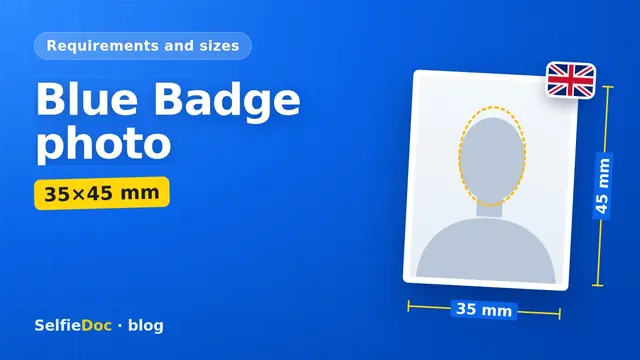
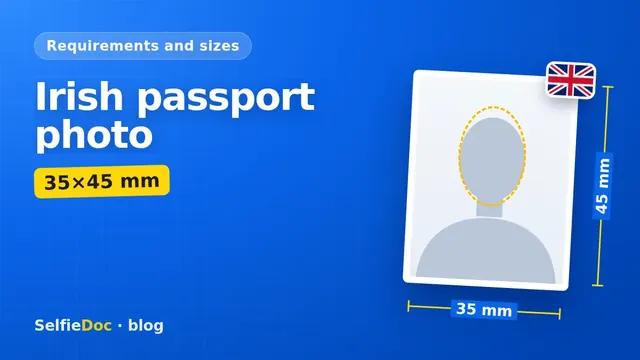
A Blue Badge photo is a recent colour photo of your head and shoulders. GOV.UK asks for a digital photo when you apply online. Where a print size is given, it is 45 mm high by 35 mm wide, which works out at 413×531 px at 300 dpi. You can make this photo online from a good-quality selfie with SelfieDoc.
There is no single national Blue Badge photo standard. Your local council handles your application. In Northern Ireland, see nidirect. Check your own council's page for details, because they can differ from one area to the next. The table below shows what each source says, so you can see which rule comes from where.
Blue Badge photo requirements at a glance
| Parameter | Requirement | Source |
|---|---|---|
| Size (print) | 45 mm high × 35 mm wide. Southend: "photos used for Blue Badges should be in 45mm high by 35mm wide" | Southend-on-Sea City Council; nidirect |
| Pixels | 413×531 px at 300 dpi. This is a print calculation, not a council rule | Calculated from 35×45 mm |
| Pixels and file size for upload | Not set on GOV.UK. Check your council's page | GOV.UK |
| What the photo shows | "a recent digital photo showing your head and shoulders" | GOV.UK |
| Style | "A suitable photo should be a passport style photo, which is focused on the face, and in colour." | Worcestershire County Council |
| Background | Southend: "plain light grey or cream". Other councils: check their own page | Southend-on-Sea City Council |
| Head height | Not set by any source we checked. Check your council's page | — |
| Face and expression | Look straight at the camera, neutral expression, mouth closed, full head visible | Southend-on-Sea City Council |
| Other people | Nobody else in the photo | Southend-on-Sea City Council |
| How recent | GOV.UK: "recent". Southend: taken within one month of the application date | GOV.UK; Southend-on-Sea City Council |
| How many | One photo per individual applicant. Organisation badges use a stamp or logo instead | Southend-on-Sea City Council; nidirect |
Checked: October 2026 against Southend-on-Sea City Council; GOV.UK, nidirect and Worcestershire County Council reviewed November 2026.
Where do you apply, and can you use your own photo?
You can apply or renew online through the Blue Badge page on GOV.UK, and you upload a digital photo as part of the application. In Northern Ireland, the nidirect page explains how to apply. If you use the paper route there, you need a printed photo cut down to 45 mm by 35 mm.
Whether a home-made photo is accepted is decided by the council that handles your application. Southend-on-Sea's guidance mentions a photo booth or "a suitable clear photo taken by other means that can be cut down to an appropriate size". Northern Ireland describes a colour passport-style photo or any suitable photo cut to size. Other councils may word this differently, so read your council's Blue Badge page before you take the photo.
A decision usually takes up to 12 weeks, according to GOV.UK, and a badge usually lasts up to 3 years. The current fee is on GOV.UK. A photo that meets the rules the first time helps you avoid delays.
If you are wondering about taking your own photo in general, our guide Can I take my own passport photo? covers the practical side of shooting at home.
Common reasons a Blue Badge photo gets sent back
Most problems come from missing one of the rules councils publish. Using the GOV.UK, Southend-on-Sea, Worcestershire and nidirect guidance, check these points before you upload or post your photo:
- The photo is old. GOV.UK asks for a recent photo, and Southend wants one taken within the last month.
- The face is not in focus. Worcestershire asks for a photo "focused on the face".
- It is not in colour. Worcestershire asks for a colour photo, and nidirect describes a colour passport-style photo.
- The background does not match your council's rule. Southend, for example, asks for plain light grey or cream. Check what your own council says.
- Part of the head is cut off. GOV.UK asks for head and shoulders, and Southend wants your full head visible.
- You are smiling with your mouth open or looking away. Southend asks for a neutral expression, mouth closed, looking straight at the camera.
- Someone else is in the shot. Southend says no other people. A carer's hand or shoulder at the edge of the frame counts too.
- The print is the wrong size. For paper applications, trim it to 45 mm by 35 mm.
Glasses, head coverings and children
Glasses. Southend says your eyes must be visible and you must not wear sunglasses. If you wear tinted lenses for a medical reason, ask your council what it accepts.
Head coverings. Southend asks for no head covering unless it is worn for religious or medical reasons.
Children. For applicants under 16, Southend applies the same photo standards as for adults. A parent or guardian can also consent to the council checking school records to confirm the child's address. No source we checked sets special rules for babies or very young children, so contact your council if a standard photo is not possible. SelfieDoc is designed for adults aged 18 and over.
Wheelchair users. No source we checked sets a separate rule. A plain light wall behind the wheelchair and a camera at face height usually give a clean head-and-shoulders shot.
How to take a Blue Badge photo
You have three practical options. Choose the one that suits your mobility and how you are applying.
At home with a phone
- Sit or stand about an arm's length or more from a plain light wall. Grey or cream matches the Southend guidance.
- Face a window so daylight falls evenly on your face, with no shadows behind you.
- Ask someone to hold the phone at your eye level, or use a stand and the timer.
- Look straight at the lens, keep your mouth closed and your expression neutral.
- Make sure your whole head and your shoulders are in the frame.
- Remove sunglasses and any hat that is not worn for religious or medical reasons.
Our step-by-step guide on taking a passport photograph with your phone goes into lighting and framing in more detail.
In a photo booth or studio
A booth or high-street studio will give you a passport-style print at 35×45 mm. That suits paper applications in Northern Ireland. Ask for a digital copy too if you plan to apply online. Prices vary between studios and booths. Passport photos follow the UK passport photo requirements, which match the passport style several councils describe. Still check your council's background and recency rules.
Online from a selfie
If getting to a booth is difficult, you can take a selfie at home and prepare it online. SelfieDoc crops the photo to 35×45 mm, evens out the background and positions your head and shoulders. It does not change your facial features. You get a digital file to upload to GOV.UK and a print-ready version if your council needs a paper photo.
Sources
FAQ
What size is a Blue Badge photo?
Where a print size is given, it is 45 mm high by 35 mm wide. Northern Ireland asks for a photo cut down to 45 mm by 35 mm, and Southend-on-Sea gives the same size. For an online application on GOV.UK you upload a digital photo instead.
What are the Blue Badge photo requirements?
GOV.UK asks for a recent digital photo of your head and shoulders. Some councils add more detail. Southend-on-Sea, for example, wants a clear photo on a plain light grey or cream background, a neutral expression with your mouth closed, your full head visible, no sunglasses and nobody else in the picture.
Can I take a Blue Badge photo online?
Yes, you can prepare the photo online. SelfieDoc turns a clear selfie into a 35×45 mm head-and-shoulders photo: it crops, evens out the background and adjusts the size, without changing your facial features. Whether your council accepts a photo you made yourself is decided by the council, so check its Blue Badge page before you apply.
Can I use my passport photo for a Blue Badge?
A passport-style photo is what several councils describe, and Worcestershire asks for exactly that: in colour and focused on the face. The photo still has to be recent. Southend-on-Sea, for example, wants it taken within one month of your application, so an old passport photo may not qualify.
Do I need a photo to renew my Blue Badge?
GOV.UK handles both new applications and renewals, and asks for a recent digital photo. Whether you need a new photo for a renewal depends on your council, so check its Blue Badge renewal page before you start.
Can I wear glasses in my Blue Badge photo?
Southend-on-Sea's guidance says your eyes must be visible and you must not wear sunglasses. GOV.UK and nidirect do not set a rule on glasses, so check with your own council if you wear tinted lenses.
Comments
Only registered users can comment
Sign in to commentSign in with the same account you use for SelfieDoc.
No comments yet. Be the first to ask a question, and we’ll answer.