



DV-2027 lottery photo requirements: size, file and common mistakes
The photo is the part of a DV entry that trips people up most. Exact size and file rules, how to check your photo before you start the form, and what entrants from Ghana, Kenya and Nepal should know.
Contents
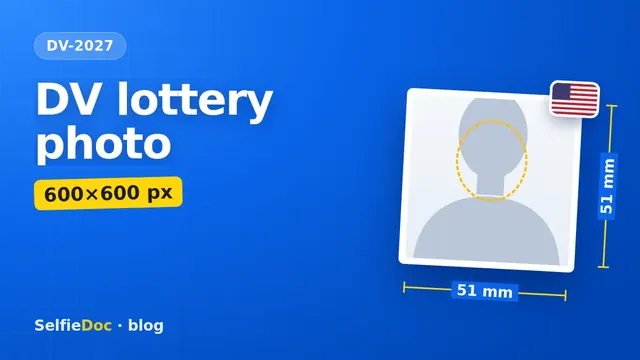
Your DV-2027 entry photo must be a 600×600 pixel square, saved as a JPEG of 240 KB or less. It must be in colour, on a plain white or off-white background, taken within the last six months, with no glasses, and it cannot be the same photo you used in a previous year's entry. You can turn a phone picture into a file like this on the SelfieDoc green card photo page.
Where DV-2027 stands today
Registration is not open yet. As of October 26, 2026, the State Department has not published the DV-2027 instructions or entry dates. In October 2026 a US federal court ordered the department to open DV-2027 registration: under the court order, registration must open no later than November 1, 2026, for 30 days. The government has appealed, so the schedule could move.
Two changes for DV-2027 are already official:
- A $1 entry fee. The State Department added a $1 fee to register for the lottery in September 2025. It is collected when you register.
- A passport. Since April 10, 2026, every entry must include valid passport details and a scan of the passport's biographic and signature page.
Natives of Ghana, Kenya and Nepal were eligible for DV-2026: none of the three is on the list of countries excluded for high immigration to the US. The DV-2027 list will come with the new instructions.
DV photo requirements at a glance
| Parameter | Requirement | Source |
|---|---|---|
| File format | JPEG (.jpg) | DV-2026 instructions |
| Dimensions | square, exactly 600×600 pixels | DV-2026 instructions |
| File size | 240 KB or less | DV-2026 instructions |
| Colour and focus | in colour, in focus | DV-2026 instructions |
| Head size | chin to top of head is 50–69% of the image height | DV-2026 instructions |
| Eye line | 56–69% of the image height from the bottom | Photo Composition Template, travel.state.gov |
| Background | plain white or off-white | DV-2026 instructions |
| Pose | full face, looking straight at the camera, neutral expression, both eyes open | DV-2026 instructions |
| Glasses | not worn; no exception listed | DV-2026 instructions |
| Head covering | only if worn daily for religion; full face visible, no shadows | DV-2026 instructions |
| Headphones | none; a hearing device is fine | DV-2026 instructions |
| Clothing | what you normally wear; no uniforms except daily religious dress | DV-2026 instructions |
| Age of photo | taken within the last six months | DV-2026 instructions |
| Reuse | never the photo from a prior year's entry | DV-2026 instructions |
Checked on October 23, 2026 against the DV-2026 instructions published in the Federal Register. The DV-2027 instructions are not out yet; the photo rules have stayed the same in recent years, and we will re-check this table when they appear.
On a 600×600 image these percentages work out to (our calculation): a head 300–414 pixels tall and an eye line 336–414 pixels above the bottom edge.
Not the same as a visa photo file
The photo standards match a US visa photo, but the file rule is stricter. The DS-160 visa form accepts a square between 600 and 1200 pixels; the DV instructions name one size only: 600×600. If you have a 1000×1000 file from a visa application, resize it before using it for the lottery. More on the visa version in our US visa photo for the DS-160 guide.
A local passport-size photo will not work either. It is rectangular, and cropping it into a square usually leaves the head too large for the 50–69% range.
Get the photos ready before you open the form
Under the DV-2026 rules, the online entry form (E-DV) cannot be saved and finished later: you get 60 minutes from the moment you open it, and anything unfinished is deleted. Photos go in with the entry; you cannot send them separately afterwards.
Have these ready first:
- A photo for yourself, your spouse and each unmarried child under 21.
- A scan of your passport's biographic and signature page.
- Make sure you qualify: at least a high school education (a formal 12-year course or its equivalent; correspondence courses and equivalency certificates such as the GED do not count) or two years of work in the past five years in a job that needs at least two years of training or experience. You do not upload certificates with the entry: you show them to the consular officer at the visa interview.
Check your photo before you upload
- Pixels. Open the file properties: width and height must both be 600.
- File size. 240 KB or less. Phone pictures are often several MB; save the JPEG again at a lower quality.
- Format. The extension must be .jpg. iPhones may save HEIC files; convert to JPEG.
- Background. Plain white with no shadows or patterns. A cream wall or a curtain will not do.
- Face. Eyes open, mouth closed, head straight, hair away from your eyes.
- Freshness. If your look has changed in the last six months (new beard, new hairstyle), take a new photo.
The State Department's free photo tool on travel.state.gov crops a picture to 600×600. It only crops: it does not check the light, the background or your pose.
If the system rejects your entry or you never get a confirmation number, you can submit again. That does not count as a duplicate entry.
Common DV photo mistakes
Reusing last year's photo. The costliest mistake. Even a recent-looking picture is out if it went into a previous lottery entry.
Glasses. Your national ID photo may show glasses; a DV photo cannot.
A copy of an ID photo. Photos copied or scanned from a driver's licence or another official document are not accepted. Neither are snapshots, magazine photos, low-quality booth photos or full-length shots.
Filters and retouching. Do not smooth skin or reshape your face. The photo has to show how you look today.
A heavy file. The 240 KB limit is strict. Check the size before you start the 60-minute form.
Leaving out your spouse. If you are married, your spouse must be listed even if they do not plan to move. Leaving out an eligible spouse can make your entry ineligible.
For entrants in Ghana, Kenya and Nepal
The photo rules are the same for every country. What differs is how people usually enter.
At a cyber café or with an agent. If you enter from an internet café or with someone's help, remember: the instructions allow someone else to submit for you, but they ask you to be present and to keep your own confirmation number and a printout of the confirmation screen. The State Department warns about facilitators who keep the confirmation page and then demand more money. Without that number you cannot check your result.
Bring files, not prints. Take your photo files and passport scan on your phone or a flash drive, already at 600×600 and under 240 KB. Fixing a photo on a café computer eats into the 60-minute limit.
One entry per person. If someone else helps you, make sure nobody files a second entry in your name: when two entries exist for one person, all of them are disqualified. Spouses may each file their own entry.
Born elsewhere? Eligibility goes by country of birth, not where you live now. If you were born in a country that cannot enter, you may in some cases claim your spouse's country of birth, or a parent's, under the instructions' chargeability rules.
Results. Nobody will call or email you to say you won. Results appear only in Entrant Status Check on dvprogram.state.gov, using your confirmation number.
How to take the photo at home
- Face a window in daylight, no flash. Neither side of your face should be in shadow.
- Ask someone to take the photo, or prop the phone at eye level further away than arm's length; a close selfie makes the nose look bigger.
- Frame your head and the top of your shoulders, with the camera straight.
- Take off glasses and move hair away from your face.
- Crop to a 600×600 square and save as a JPEG under 240 KB.
You can do the last step on the SelfieDoc green card photo page: upload the picture from your phone and get a 600×600 JPEG on a white background. You see the result before paying, and a copy goes to your email. Order a separate file for each adult in your entry. More tips for shooting with a phone are in our passport photograph with a phone guide.
For a baby or toddler, the instructions suggest: nobody else in the frame, eyes open; lay the baby on a plain white sheet, or seat the child in a car seat covered with a white sheet, and keep shadows off the face.
Sources
- Diversity Visa Instructions for DV-2026 — Federal Register, 01.10.2024
- Photo Requirements — travel.state.gov
- Passport requirement for DV entries — Federal Register 2026-04737
- $1 DV registration fee — Federal Register 2025-17851
- Court order on DV-2027 registration — Fragomen, 16.10.2026
- Official entry website — dvprogram.state.gov
SelfieDoc is not affiliated with the U.S. Department of State. DV lottery entries are accepted only at dvprogram.state.gov.
FAQ
What size should a DV lottery photo be?
Exactly 600×600 pixels, square, in JPEG format and no larger than 240 KB. If you scan a printed photo, it must be 2×2 inches (51×51 mm), scanned at 300 pixels per inch.
Can I wear glasses in my DV photo?
No. The DV instructions say not to wear eyeglasses and give no exception. A hearing device you normally wear is fine.
Can I use the same photo as last year?
No. Submitting the same photo you sent with a prior year's entry makes you ineligible for a DV, according to the State Department instructions. Take a new photo within six months of entering.
Are Ghana, Kenya and Nepal eligible for DV-2027?
Natives of all three countries were eligible for DV-2026. The State Department publishes the DV-2027 country list in the DV-2027 instructions, which had not been released as of October 26, 2026.
When does DV-2027 registration open?
The State Department has not announced dates yet. Under a US federal court order, registration must open no later than November 1, 2026 and stay open for 30 days. The government is appealing, so the timing could change. Check dvprogram.state.gov.
Do I need photos of my spouse and children?
Yes. Your entry needs a photo of your spouse and of each unmarried child under 21 that you list. A spouse or child who is already a US citizen or green card holder does not need one.
Comments
Only registered users can comment
Sign in to commentSign in with the same account you use for SelfieDoc.
No comments yet. Be the first to ask a question, and we’ll answer.