


Passport Photo Rejected — What to Do
Why the State Department turns down US passport photos, how to fix each problem, and how to stop it happening on your next try.
Contents
A rejected US passport photo usually comes down to a small set of problems: glasses, shadows, an old photo, headwear without a statement, or a copy in place of a real print. The fix is a new color photo, 2×2 inches, taken within the last 6 months. Send it on photo paper with a paper application, or upload it as a file if you renew online. You can make that photo online from a good selfie in SelfieDoc.
What the rejection message says
The wording depends on how you applied, so we don't quote a single "official" message. If you applied on paper, the reason is in the notice you receive. If you renew online, the photo step on the renewal site flags the problem when you upload.
Look for one specific reason in that message. It usually points to one of the causes below, and each one has a direct fix.
US passport photo rules most people break
These are the rules behind most rejections. Everything below comes from State Department sources.
| Parameter | Requirement | Source |
|---|---|---|
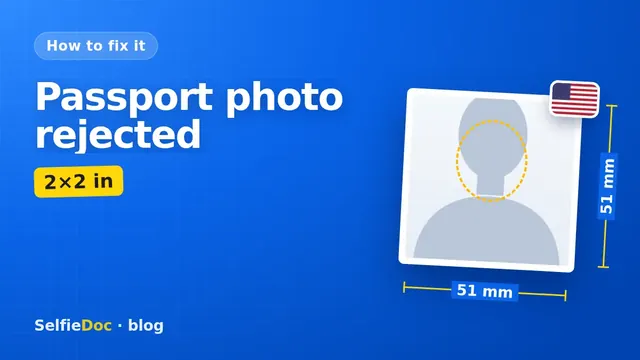
| Size | 2×2 inches (50.8×50.8 mm) | Form DS-11, State Department |
| Number of photos | One | travel.state.gov, photo requirements |
| How recent | Taken within the last 6 months | travel.state.gov, photo requirements |
| Color | Color photo | travel.state.gov, photo page |
| Glasses | Not allowed since November 1, 2016, including sunglasses and tinted lenses. Medical exception needs a signed doctor's statement | travel.state.gov, photo requirements |
| Headwear | Not allowed. Religious headwear needs a signed statement that you wear it daily in public. Medical headwear needs a doctor's statement. Face fully visible | travel.state.gov, photo requirements |
| Face coverings, accessories | Remove medical masks and face coverings. No uniforms, camouflage, headphones or wireless earpieces | travel.state.gov, photo requirements |
| Paper | Matte or glossy photo paper. No photocopies or scans | travel.state.gov, photo page |
| Edits | No filters and no retouching. Don't photograph a printed photo for upload | travel.state.gov, online renewal photo page |
| Background | Plain white or off-white, with no shadows, texture or objects | travel.state.gov, photo page |
| Head size | Check on travel.state.gov | travel.state.gov |
| File size for upload | Check on travel.state.gov | travel.state.gov |
Checked: October 2026 against Form DS-11 and travel.state.gov.
If you print the photo yourself at 300 dpi, a 2×2 inch photo works out to 600×600 pixels. That is a printing calculation, not a State Department rule.
Why was my passport photo rejected: 5 common causes
1. You wore glasses
Glasses are the most common easy-to-miss problem. They are not allowed in US passport photos, including clear, tinted and sunglasses. This rule has applied since November 1, 2016.
Fix: retake the photo without glasses. If you can't remove them for medical reasons, attach a signed statement from your doctor. Our guide on glasses in a passport photo covers the details.
2. Shadows on your face or the background
Shadows usually come from a single lamp, a window to one side, or standing too close to the wall. The background must be plain white or off-white, with no shadows, texture or objects behind you.
Fix: face a window or use two light sources at equal distance. Step a little away from the wall so your shadow falls out of frame. Our article on the passport photo background explains what counts as plain.
3. The photo is too old
The photo must be taken within the last 6 months. An older print, or a photo taken more than 6 months ago, does not meet the rule.
Fix: take a fresh photo and send that one.
4. Headwear, a mask or accessories
Hats and head coverings are not allowed without a signed statement. Religious headwear needs a statement that you wear it daily in public. Medical headwear needs one from your doctor. The covering must be plain, with no pattern or holes, and must not cast shadows on your face. Headphones, wireless earpieces, uniforms and camouflage are not allowed.
Fix: remove anything that isn't covered by a statement. If you keep religious or medical headwear, include the signed statement and make sure your full face is visible.
5. A scan, photocopy or photo of a photo
For paper applications, the photo must be on matte or glossy photo paper. Photocopies and scans are not accepted. For online renewal, upload the original digital file. Don't take a picture of a printed photo.
Fix: print the digital file at a photo lab or on real photo paper. For online renewal, use the original file from your camera or phone.
Edits and filters
The State Department says not to use filters or retouching. Your phone's camera may apply smoothing by default. Turn off beauty mode before you shoot.
What to do after the rejection
Follow the instructions in your notice or on the upload screen. Don't guess or start over unless you're told to.
- Find the exact reason in the notice or on the screen.
- Match it to one of the causes above.
- Take a new photo that fixes that problem, and check the other rules in the table too.
- Send or upload the new photo the way the notice asks.
If you're not sure the problem was the photo, contact the State Department through the details listed on your notice.
How to make a new photo
You have three practical options.
At home. Use a phone camera at eye level, about an arm's length or more away, with even light from the front and a plain wall behind you. Whether a home photo suits your application route is covered in our guide can I take my own passport photo.
At a photo studio or pharmacy counter. Many studios and pharmacy counters offer 2×2 inch prints on photo paper. Prices vary between studios. Still check the result yourself for glasses, shadows and headwear.
Online from a selfie. SelfieDoc takes a good selfie and prepares a 2×2 inch photo. It crops the image, evens out the background and positions your head to the requirements. It doesn't change your facial features. You get a digital file for upload and a layout you can print at a photo lab.
Checklist before you send it again
- Color photo, 2×2 inches, taken within the last 6 months.
- No glasses, unless you include a doctor's statement.
- No hat, mask, headphones or earpieces. Religious or medical headwear only with a signed statement.
- Plain white or off-white background, no shadows on your face or behind you.
- No filters, no retouching, beauty mode off.
- Paper route: printed on matte or glossy photo paper, not a scan or copy.
- Online renewal: the original digital file, not a photo of a print.
For the full list of rules, including head position and expression, see our US passport photo requirements.
Sources
FAQ
Why was my passport photo rejected?
The most common reasons are glasses in the photo, shadows on the face or background, a photo older than 6 months, a hat or head covering without the required statement, or a photocopy or scan in place of a real photo print. Your notice or the upload screen usually names the reason.
What should I do after my passport photo is rejected?
Read the notice carefully and follow its instructions. Take a new photo that fixes the stated problem, check it against the State Department rules, and send or upload it the way the notice asks.
Can I wear glasses in a new passport photo?
No. Glasses have not been allowed in US passport photos since November 1, 2016, including sunglasses and tinted lenses. If you can't remove them for medical reasons, you need a signed statement from your doctor.
Can I take a passport photo online?
You can prepare one online. SelfieDoc turns a good selfie into a 2×2 inch photo: it crops, evens out the background and fits the size, without changing your facial features. The State Department makes the final decision, so check the result against its photo rules before you submit.
Can I reuse the photo from my old passport?
No. The photo must be taken within the last 6 months. An old print or a photo of your previous passport page won't meet that rule.
Is a scan or photocopy of a photo acceptable?
No. For paper applications, the photo must be printed on matte or glossy photo paper. Photocopies and scans are not accepted, and for online renewal you should not photograph a printed photo.
Comments
Only registered users can comment
Sign in to commentSign in with the same account you use for SelfieDoc.
No comments yet. Be the first to ask a question, and we’ll answer.