



Canada visa photo requirements for Indian applicants
The exact size, background, expression and glasses rules for a Canadian visitor visa (TRV) photo, plus what to check before you apply from India.
Contents
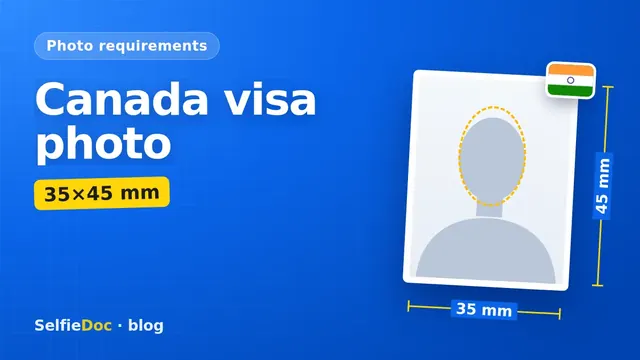
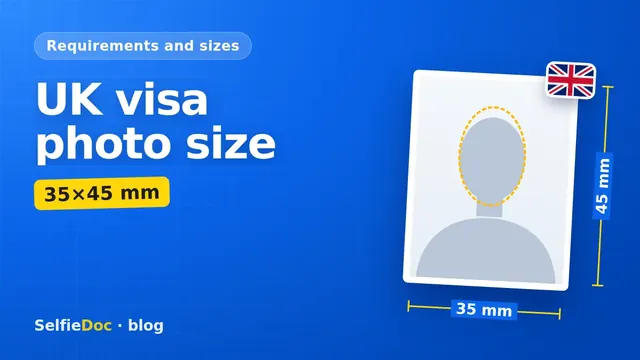
The Canada visa photo size is 35×45 mm, on a white or light-coloured background. Your expression must be neutral, with your mouth closed and your face square to the camera. The photo can be colour or black and white, but it must be clear and well defined. You can make a photo like this online from a good-quality selfie in SelfieDoc.
Canada visa photo requirements at a glance
Immigration, Refugees and Citizenship Canada (IRCC) publishes photo specifications for the temporary resident visa (TRV), the standard visitor visa.
| Parameter | Requirement | Source |
|---|---|---|
| Size | 35×45 mm | IRCC, TRV photo specifications |
| Pixels for printing | About 413×531 px at 300 dpi (a calculation, not an IRCC rule) | Derived from IRCC's 35×45 mm |
| Background | White or light-coloured | IRCC, TRV photo specifications |
| Expression and head | Neutral expression, neither frowning nor smiling, mouth closed, face square to the camera | IRCC, TRV photo specifications |
| Glasses | Non-tinted prescription glasses allowed if your eyes are clearly visible and the frame does not cover any part of your eyes; no sunglasses | IRCC, TRV photo specifications |
| Colour | Colour or black and white | IRCC, TRV photo specifications |
| Quality | Clear and well defined; a digital photo must not be altered in any way | IRCC, TRV photo specifications |
| File size (KB) and pixels for upload | Check on the IRCC website for your application route | — |
Checked: July 2026 against IRCC (canada.ca).
Applying from India: visa centre, online or paper, how many photos
The photo rules above come from IRCC and apply wherever you are. How you hand the photo over depends on your application route, and that part is set out in IRCC's own instructions.
IRCC lists the number of photos and upload limits per route, so check them before you apply:
- Open your application instructions on the IRCC website and confirm whether you apply online or on paper.
- If you upload a photo, check the file format, size in KB and pixel dimensions listed for your route.
- If you submit paper forms, check how many printed photos you need and whether anything must be written on the back.
- If you go to a visa application centre (VAC) in India, check its official page for what to bring on the day. Use the VAC listed on the IRCC website.
Some applicants hope to reuse a photo taken for another document, such as an Indian passport. Each document has its own rules, so check the photo against the Canada requirements above on their own terms: size, background, expression and glasses.
What size is a Canada visa photo in pixels?
IRCC sets the size in millimetres: 35×45 mm. If you print at 300 dpi, that is about 413×531 pixels. This number only helps you print at the right size. It is not an upload requirement.
For online applications, IRCC may list its own pixel and KB limits. Check the instructions for your route on canada.ca before you resize anything.
Background, expression and glasses
The background must be white or light-coloured. A plain white wall works best. Patterned curtains, doors and shelves behind you do not.
Your face must look straight at the camera, square on. Keep your mouth closed and your expression neutral. A soft smile counts as smiling, so relax your face instead.
Prescription glasses are allowed if the lenses are not tinted, your eyes are clearly visible and the frame does not cross your eyes. Sunglasses are not acceptable. If your frame is thick or sits low, taking the glasses off is the simpler option.
Common mistakes in Canada visa photos
- Wrong size. A US-style 2×2 inch print is not 35×45 mm. Neither is a cropped stamp-size photo.
- Smiling or open mouth. IRCC asks for neither frowning nor smiling.
- Head turned or tilted. Your face must be square to the camera.
- Tinted lenses or a frame across the eyes. Both break the glasses rule.
- Coloured or busy background. It must be white or light-coloured.
- Blurry or grainy photo. IRCC wants a clear, well-defined image. Dim rooms make phone photos soft and noisy.
- Heavy editing. A digital photo must not be altered in any way. Beauty filters and face-smoothing apps change the face itself.
- Guessing upload limits. File size and pixel limits for online submission come from IRCC's instructions, not from a general passport-photo rule.
How to get a Canada visa photo
At a photo studio
Many photo studios offer 35×45 mm prints. Tell them the photo is for a Canadian visa and show them the IRCC rules: neutral expression, closed mouth, white or light background. Prices vary between studios. Ask for the digital file as well as prints, in case you need to upload it.
At home with a phone
You need a plain white wall, daylight from a window in front of you and someone to hold the phone at eye level. Stand a little away from the wall to avoid shadows behind you. Take several shots and pick the sharpest one. Our guide on taking a passport photograph with your phone covers light and framing step by step. If you are unsure whether a self-taken photo is acceptable at all, read can I take my own passport photo. That article covers US rules, and for Canada IRCC's instructions decide.
Online from a selfie
SelfieDoc takes your selfie and crops it to 35×45 mm, evens out the background and checks head position. It does not change your facial features. You get a file ready to print or keep for your application. If you upload it, check the KB and pixel limits on the IRCC page for your route first.
Other visa photos for Indian travellers
If Canada is one stop on a longer trip, the rules differ by country. See the Schengen visa photo size for Indian applicants and the UAE visa photo size.
Sources
FAQ
What is the Canada visa photo size?
The Canada visa photo size is 35×45 mm, according to IRCC's photo specifications for the temporary resident visa. At 300 dpi this works out to about 413×531 pixels for printing. That pixel figure is a calculation, not an IRCC rule.
What background is required for a Canadian visit visa photo?
IRCC asks for a white or light-coloured background. A plain white wall with even light is the safest choice.
Can I smile in my Canada visa photo?
No. IRCC asks for a neutral expression: neither frowning nor smiling, with your mouth closed and your face square to the camera.
Can I wear glasses in a Canada visa photo?
Yes, if they are non-tinted prescription glasses, your eyes are clearly visible and the frame does not cover any part of your eyes. Sunglasses are not acceptable.
Can I take a Canada visa photo online?
You can prepare one from a good selfie with SelfieDoc, which crops it to 35×45 mm, evens out the background and fits the size without changing your facial features. Whether a self-taken photo suits your application route is set by IRCC, so check the instructions for your application on canada.ca first.
Is a colour photo required for a Canada visa?
No. IRCC says the photo may be black and white or colour, as long as it is clear and well defined.
Comments
Only registered users can comment
Sign in to commentSign in with the same account you use for SelfieDoc.
No comments yet. Be the first to ask a question, and we’ll answer.